Smart Home Features That Increase Property Value
You’ve probably heard that smart home features can raise your property value. But nobody tells you this: not all smart devices add value, and some can actually hurt your chances of selling.
I’m going to show you exactly which smart features buyers are willing to pay extra for, how much value they actually add, and which ones you should avoid completely. Whether you’re selling next month or five years from now, this guide will help you make smart decisions that protect your investment.
Why Smart Homes Sell for More (And Faster)
Let’s start with the numbers that matter. Homes with the right smart features sell for 3% to 5% more than similar homes without them. On a $400,000 house, that’s an extra $12,000 to $20,000 in your pocket.
But what’s even better: these homes sell 40% faster in competitive markets. That means less time paying two mortgages, less stress, and fewer showings to deal with.
Why are buyers so willing to pay more? Three simple reasons:
Convenience is king. Buyers today, especially millennials (who now make up 43% of homebuyers), grew up with smartphones. They expect their homes to be as smart as their phones. Walking into a home where they can control lights, temperature, and security from their phone feels like stepping into the future.
Energy bills are scary. With utility costs climbing every year, buyers love seeing features that will save them money from day one. A smart thermostat that cuts heating and cooling costs by 10-15% isn’t just a cool gadget. It’s real money back in their pocket every single month.
Security means everything. In recent years, over 70% of homebuyers say smart security features are a top priority. They want to check on their home from vacation, get alerts when someone’s at the door, and feel safe when they’re away.
The Smart Features That Add the Most Value (And What They Cost)
Not all smart devices are created equal. Some give you amazing returns, while others barely move the needle. What actually matters to buyers, organized by how much bang you get for your buck.
Security Systems: The Best Investment You Can Make
Smart security adds up to 5% to your home’s value. That’s higher than any other smart feature. Why? Because security sells to everyone, from young families to retirees.
What buyers want to see:
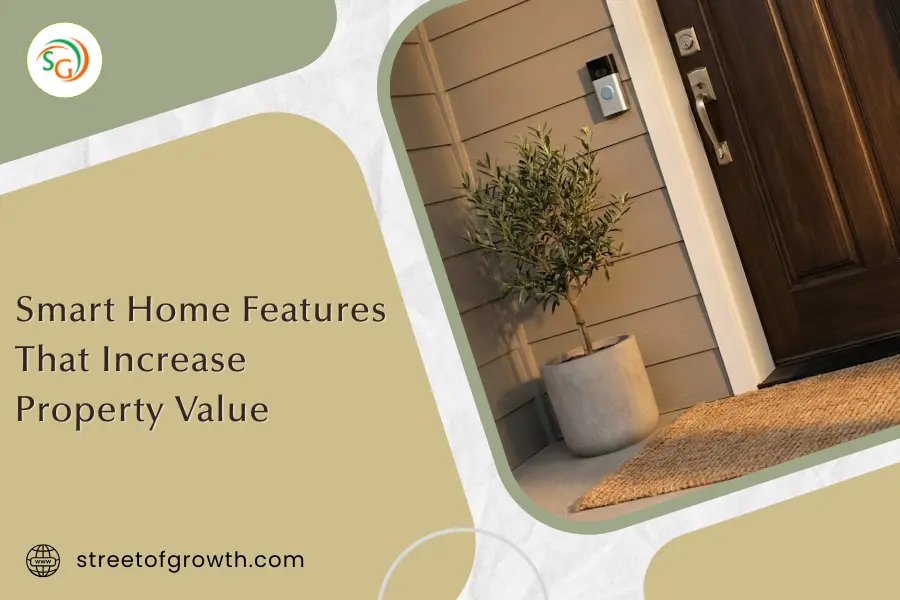
Video doorbell cameras like Ring or Nest (around $100-$250). These are non-negotiable. Buyers love seeing who’s at the door without getting up, and checking deliveries from work.
Smart locks with keyless entry ($150-$300). No more hiding spare keys under the mat or worrying about lost keys. Plus, you can give temporary access codes to house sitters or contractors.
Outdoor security cameras covering entry points ($200-$500 for a good system). The point is visible cameras that actually deter crime, not hidden ones.
Motion sensors and smart alarms integrated into the system ($300-$800). These give buyers peace of mind and often qualify them for insurance discounts of 5-20%.
What you get back: If you spend $1,000 on a security system, you could add $15,000-$20,000 to your home’s value on a $400,000 property. That’s a 1,500% return.
Smart Thermostats: Easy Win, High Return
Smart thermostats typically add 3% to your home’s value. They’re one of the easiest upgrades to install and buyers immediately understand the benefit.
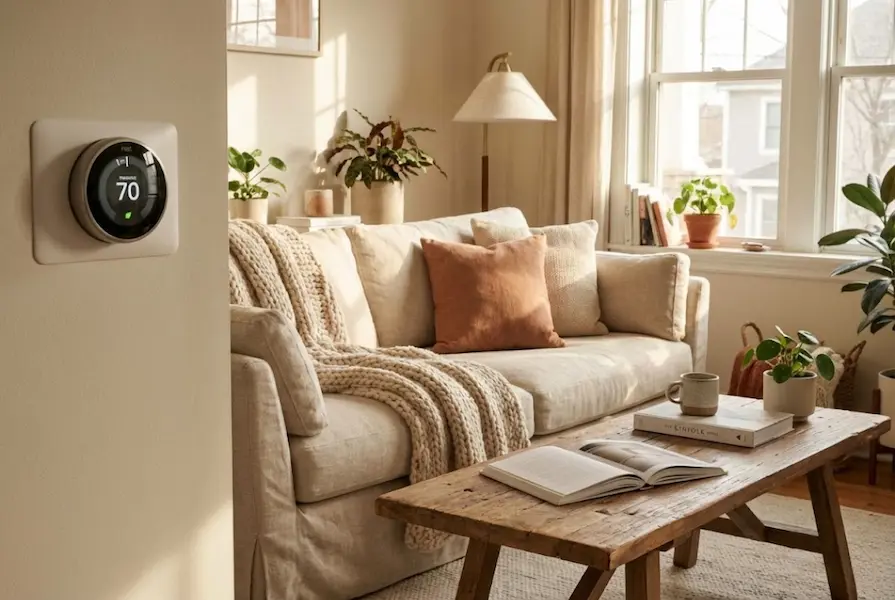
The best options are Nest, Ecobee, or Honeywell Home ($150-$250). These learn your schedule, adjust automatically, and can be controlled from anywhere. Most importantly, they show buyers exactly how much energy (and money) they’ll save.
Why buyers love them: The average homeowner saves $145 per year on energy bills with a smart thermostat. That’s money buyers can see and calculate before they even make an offer.
What you get back: Spend $200, add $12,000 to your $400,000 home’s value. That’s a 6,000% return.
Smart Lighting: The Affordable Crowd Pleaser
Smart lighting doesn’t add as much value as security or thermostats (usually 1-2%), but it’s affordable and makes a huge impression during showings.
What works best:
Smart bulbs in key areas like living room, kitchen, and master bedroom ($10-$30 per bulb). Buyers can control brightness, set schedules, and even change colors.
Smart switches for ceiling lights and fans ($40-$100 each). These are better than smart bulbs if you have multiple fixtures because one switch controls them all.
Motion-activated lighting for hallways, closets, and outdoor areas ($30-$80 per fixture). This one feels like luxury without breaking the bank.
Why it works: During showings, smart lighting lets you create the perfect ambiance at the touch of a button. Warm, welcoming light makes homes feel more expensive. Plus, lights that turn off automatically save buyers money.
What you get back: Spend $500 on smart lighting throughout your home, add $4,000-$8,000 in perceived value.
Smart Kitchen Appliances: The Luxury Factor
Smart appliances in the kitchen can add significant value, but only if you choose wisely. Buyers love the idea of a high-tech kitchen, but they need to be useful improvements, not gimmicks.
What adds real value:
Smart refrigerators with internal cameras ($2,000-$4,000). These let you check what’s inside while grocery shopping. Buyers with families love this feature.
WiFi-enabled ovens and ranges ($800-$2,500). Being able to preheat the oven from work or get alerts when dinner’s ready appeals to busy professionals.
Smart dishwashers that reduce water and energy use ($600-$1,200). These save money and appeal to eco-conscious buyers.
What to skip: Touchscreen fridges that just show you recipes or the weather. Buyers see these as gimmicks that will be outdated in two years.
What you get back: Kitchen appliance upgrades typically return 60-80% of their cost, but smart versions can push that closer to 100% in the right markets.
Voice Control Hubs: The Central Command
Having a voice control system like Amazon Alexa, Google Home, or Apple HomeKit ties everything together. This doesn’t add huge value by itself (maybe 1%), but it makes all your other smart features more impressive.
Cost: $50-$200 for the hub, but the real value is in how it integrates everything else.
Why buyers care: Walking into a home where you can say “I’m home” and have the lights turn on, the thermostat adjust, and the garage door close? That’s the experience buyers are willing to pay for.
Your Budget-to-Value Blueprint: What to Add at Every Price Point
Most articles tell you what features are great, but they don’t tell you what to prioritize based on your budget. Let me fix that.
The $500 Smart Home Starter (Minimum Viable Impact)
If you’re on a tight budget but still want to add value:
- Video doorbell camera ($120-$180): Ring or Nest Doorbell
- Smart thermostat ($180-$250): Nest Learning or Ecobee
- Smart bulbs for 3-4 key areas ($60-$120): Philips Hue or LIFX
- Budget left? Add a smart lock ($150)
Expected value increase: $8,000-$12,000 on a $400,000 home
Why this works: You’re hitting the big three: security, energy savings, and lighting. Buyers see immediate benefits in all three categories.
The $2,000 Smart Home Upgrade (Sweet Spot for Most Sellers)
This budget gives you the best return on investment:
- Full security system with doorbell camera, 2 outdoor cameras, and smart locks ($800-$1,000)
- Smart thermostat ($200-$250)
- Smart lighting system with switches and bulbs throughout ($400-$600)
- Voice control hub and smart speaker in main areas ($200-$300)
- Smart garage door opener ($150-$200)
- Smart smoke/CO2 detectors ($200-$300)
Expected value increase: $15,000-$25,000 on a $400,000 home
Why this works: You’re creating an integrated experience. Everything works together, and buyers can control their entire home from one app.
The $5,000+ Premium Smart Home (Maximum Impact)
If you’re selling a higher-end property or staying for a few years first:
Everything from the $2,000 package, plus:
- Professional installation and integration ($500-$1,000)
- Smart kitchen appliances (refrigerator and oven, $3,000-$5,000)
- Smart irrigation system ($300-$600)
- Motorized blinds or shades for main living areas ($800-$2,000)
- Whole-home audio system ($1,000-$3,000)
- Energy monitoring system throughout the home ($400-$800)
- Smart water leak detectors throughout the home ($200-$400)
Expected value increase: $20,000-$40,000 on a $500,000+ home
Why this works: At this level, you’re creating a truly automated home that competes with new construction. Professional installation ensures everything works perfectly together.
Smart Features That Waste Your Money (What NOT to Add)
The truth nobody wants to tell you: some smart features actually hurt your chances of selling. Avoid these mistakes:
Smart toilets with heated seats and bidets ($800-$3,000). Most buyers find these weird or uncomfortable. Regional exception: these are popular in some West Coast markets.
Smart mirrors with touchscreens ($500-$2,000). Cool concept, but buyers worry about them breaking or becoming outdated.
Smart pet feeders and waterers permanently installed ($200-$500). Great if you have pets, useless for buyers who don’t. Keep these portable.
Overly complex custom systems ($10,000+). If buyers need an instruction manual to turn on the lights, they’ll be intimidated instead of impressed.
Smart faucets with touchless or voice control ($300-$800). Buyers worry about reliability and maintenance. A regular faucet works fine.
Outdoor smart speakers permanently mounted ($200-$400 each). Weather damage is a concern, and not everyone wants music outside.
Robot vacuum docking stations in walls. Just include the portable robot. Don’t make permanent modifications for something that might be outdated in three years.
The pattern? Avoid features that are:
- Too personal or unusual
- Likely to break or need constant updates
- Difficult to use or understand
- More about novelty than usefulness
Why Integration Matters More Than Individual Devices
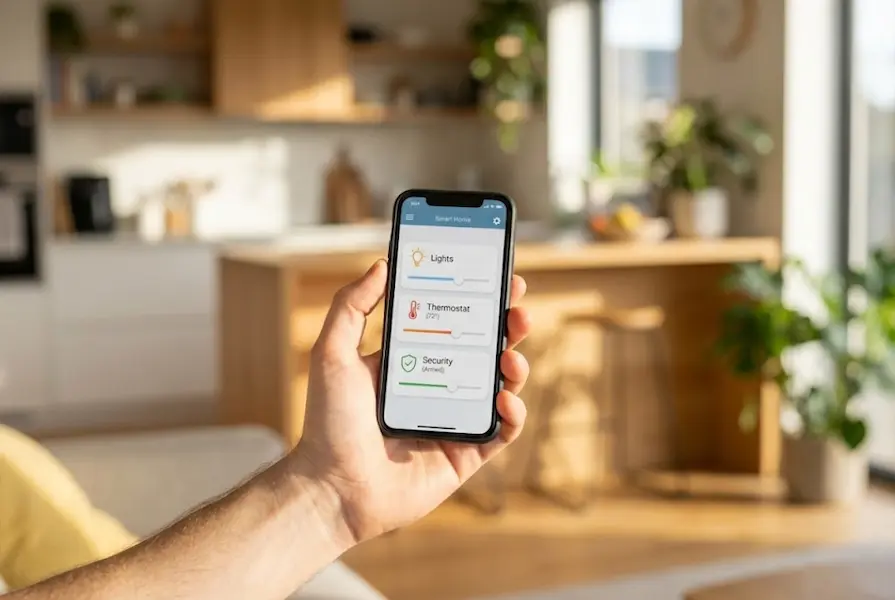
I see this mistake all the time: homeowners buy a Nest doorbell, an Amazon thermostat, a different brand of lights, and Google speakers. Then they wonder why buyers aren’t impressed.
The problem? Nothing talks to each other. Buyers have to use four different apps to control their home. That’s not smart, that’s annoying.
The better approach: Choose an ecosystem and stick with it.
The Three Main Ecosystems
Amazon Alexa works with the most devices (over 100,000) and is the most affordable. Best for: Budget-conscious buyers who want lots of options.
Google Home has the smartest voice assistant and works great with Android phones. Best for: Tech-savvy buyers who want the most capable AI.
Apple HomeKit is the most secure and private but works with fewer devices. Best for: iPhone users who prioritize privacy and have higher budgets.
The Matter Standard: Future-Proofing Your Investment
Now smart buyers are asking about Matter compatibility. Matter is a new standard that lets devices from different companies work together easily.
Why you should care: Devices with the Matter logo will work with Alexa, Google, and Apple. That means your next buyer can integrate your smart home into whatever system they already use.
When shopping for smart devices, look for the Matter logo. It’s your insurance policy that your upgrades won’t be obsolete in three years.
Regional Differences: Where Smart Homes Add the Most Value
Not all markets care equally about smart features. Where you live makes a huge difference in your return on investment.
Tech-Forward Markets (7-10% Value Increase)
These areas see the highest premiums for smart homes:
- San Francisco Bay Area, California
- Austin, Texas
- Seattle, Washington
- Denver, Colorado
- Raleigh-Durham, North Carolina
- Boston, Massachusetts
Why: High concentration of tech workers, higher average incomes, strong preference for modern features.
What to do: Go bigger with your smart home budget here. Buyers expect newer features.
Traditional Markets (2-5% Value Increase)
These areas still value smart features but are more conservative:
- Most Midwest cities
- Rural areas
- Retirement communities
- Smaller towns
Why: Buyers are more cautious about new technology, prefer proven features over experimental ones.
What to do: Stick with the basics (security, thermostat, lighting). Skip the fancy stuff.
Climate-Driven Priorities
Hot climates (Texas, Arizona, Florida): Smart thermostats and energy management systems are crucial. Buyers want to save on AC costs.
Cold climates (Minnesota, Vermont, Montana): Smart heating, snow melt systems, and leak detectors add the most value.
Areas prone to natural disasters: Smart security and monitoring systems (cameras, sensors, emergency alerts) are top priorities.
Timing Strategy: When to Add Smart Features Based on Your Selling Timeline
The timing of your smart home upgrades matters almost as much as which features you choose.
Selling Within 6 Months: Go Basic
What to add: Video doorbell, smart thermostat, smart bulbs in key areas Budget: $500-$800 Why: You want features that make an immediate impression during showings. No major renovations. Installation: All DIY possible. Get it done in one weekend.
Selling Within 1-2 Years: The Sweet Spot
What to add: Full security system, smart lighting throughout, voice control, smart garage door Budget: $2,000-$3,000 Why: You get to enjoy the features while building equity. You’ll recoup costs plus make a profit. Installation: Mix of DIY and professional for security cameras.
Selling in 3-5 Years: Go Big
What to add: Everything including smart appliances and whole-home integration Budget: $5,000-$8,000 Why: You’ll enjoy premium features for years while building maximum equity. Technology will still be current when you sell. Installation: Professional installation to ensure everything works perfectly and looks clean.
Not Selling for 5+ Years: Focus on Your Needs First
What to add: Whatever makes your life better, with an eye toward resale Budget: Whatever you’re comfortable spending Why: Your enjoyment matters most. Focus on features that save you money or add convenience daily. Installation: Professional for complex systems, DIY for simple additions.
Smart Home Value Estimator
Calculate potential ROI for your property instantly
ROI & Upgrade Calculator
Analysis Result
The Seven Biggest Mistakes Sellers Make with Smart Home Features
After analyzing hundreds of home listings, the mistakes that cost sellers the most money:
Mistake 1: Installing everything the week before listing. Buyers can tell when smart features are brand new and haven’t been tested. Add features at least 2-3 months before listing so you can work out any bugs.
Mistake 2: Skipping professional installation for security systems. DIY security cameras that are crooked or have visible wires look cheap. Professional installation adds $200-$400 but makes everything look high-end.
Mistake 3: Not including user guides. Buyers get overwhelmed by smart homes they don’t understand. Create a simple one-page guide showing how to use the main features. This makes your home less intimidating.
Mistake 4: Adding smart features to outdated homes. If your home needs new flooring, a kitchen refresh, or fresh paint, do that first. Smart features in a tired-looking home feel like putting lipstick on a pig.
Mistake 5: Forgetting to transfer subscriptions. Many security systems require monthly subscriptions. Make sure to transfer or cancel these before closing. Buyers don’t want surprise bills.
Mistake 6: Installing visible smart hubs and equipment in ugly places. WiFi hubs, smart home controllers, and equipment should be hidden in closets or cabinets. Visible tech equipment makes spaces look cluttered.
Mistake 7: Not demonstrating features during showings. Just having smart features isn’t enough. Your agent should show them off. “Watch this, I can close all the blinds with one command” is memorable. Buyers need to see the magic.
Professional Installation vs. DIY: When to Hire Help
This decision can save or waste hundreds of dollars. When each approach makes sense.
DIY is fine for:
- Smart thermostats (if you’re comfortable with basic electrical)
- Video doorbells (mostly just mounting and WiFi setup)
- Smart bulbs and plugs (literally just screw in and connect)
- Voice control hubs (plug and play)
- Most smart locks (usually just replace existing deadbolt)
Time investment: 1-4 hours per device
Savings: $100-$200 per device in installation costs
Risk: Low. Worst case, you waste an afternoon and call a pro.
Hire a professional for:
- Outdoor security cameras (proper placement and wiring matters)
- Whole-home audio systems (complex wiring and setup)
- Smart sprinkler systems (plumbing and electrical work)
- Motorized blinds and shades (precise measurements and mounting)
- Any hardwired smart switches (if you’re not comfortable with electrical work)
- Full system integration (making everything work together)
Cost: $100-$200 per hour, or $500-$2,000 for full installation
Why it’s worth it: Professional installation looks cleaner, works better, and buyers trust it more. Plus, you usually get warranties and support.
The hybrid approach (best value):
Buy everything yourself online (save 20-40% vs. buying through installers), then hire a local handyman or electrician just for the physical installation. This gives you professional results at DIY prices.
Pro tip: Many electricians will install smart devices you bought for $50-$100 per device. That’s way cheaper than buying through a smart home company.
Future-Proofing Your Smart Home Investment
Technology changes fast. The last thing you want is to spend thousands on smart features that look outdated in two years. How to protect your investment:
Choose proven brands, not trendy startups
Stick with companies that have been around for at least 5 years: Google, Amazon, Apple, Ring, Nest, Philips, Ecobee, August. These companies will still be supporting their products years from now.
Warning sign: If a smart device startup has fewer than 10,000 reviews, skip it. They might not be around in a year.
Prioritize Matter-compatible devices
Matter is the new universal smart home standard. Devices with Matter work with Alexa, Google Home, and Apple HomeKit. That means buyers can integrate your smart features into whatever system they already use.
Where to find Matter devices: Look for the Matter logo when shopping. Most new smart devices released in 2024-2025 include Matter support.
Avoid subscription-dependent features
Some smart devices only work with monthly subscriptions. Ring cameras, for example, need a subscription to save video recordings. That’s fine for security, but avoid features that are useless without paying monthly.
Red flag: If the main feature requires a subscription, think twice. Buyers don’t want mandatory monthly bills.
Keep it simple and upgradeable
Complex custom systems might be impressive now, but they’re hard to upgrade and intimidating for buyers. Focus on modular systems where you can swap out individual devices without starting over.
Good example: Smart bulbs in regular fixtures (can be replaced with regular bulbs anytime)
Bad example: Permanently installed LED strips with proprietary controllers (stuck with that system forever)
The Smart Home Checklist: Making Your Home Stand Out to Buyers
When you’re ready to sell, use this checklist to make sure your smart home shines:
Two weeks before listing:
- Test every smart device to make sure it works perfectly
- Replace any dead batteries in sensors or keypads
- Clean all cameras and doorbell lenses
- Update all apps and firmware to the latest versions
- Create a simple user guide for buyers (one page is enough)
- Take photos of your smart home system for marketing materials
- Reset any devices that have personal data (cameras, doorbells)
In your listing description, include:
- Specific brand names (buyers search for “Nest” and “Ring”)
- What can be controlled remotely
- Estimated monthly savings (energy bills, insurance discounts)
- Whether systems are Matter-compatible
- If professional installation was done (adds perceived value)
During showings:
- Have your agent demonstrate key features
- Leave the thermostat showing energy savings
- Show camera feeds on a tablet or phone
- Demonstrate voice control if you have it
- Point out less obvious features like leak sensors
Before closing:
- Transfer subscription services to buyer or cancel them
- Provide login credentials for all systems
- Include warranty information and receipts
- Walk buyer through the system during final walkthrough
- Leave the user guide and any manuals
What Smart Features Added to Recent Sales
Let me show you three examples of how smart features impacted sales in 2024-2025:
Example 1: Austin, Texas
Home: 3-bedroom, 2-bath, $425,000 asking price
Smart upgrades: Full Ring security system, Nest thermostat, smart lighting throughout, voice control ($2,200 total investment)
Result: Sold for $447,000 ($22,000 over ask) in 8 days with multiple offers
Return: 1,000%
Example 2: Cleveland, Ohio
Home: 4-bedroom, 2.5-bath, $285,000 asking price
Smart upgrades: Video doorbell, Ecobee thermostat, basic smart locks ($650 investment)
Result: Sold for $296,000 in 18 days
Return: 1,692%
Example 3: San Francisco Bay Area
Home: 2-bedroom condo, $875,000 asking price
Smart upgrades: Premium security system, smart kitchen appliances, whole-home automation, professional integration ($7,500 investment)
Result: Sold for $958,000 in 5 days
Return: 1,107%
Notice the pattern? In all three markets, smart features paid for themselves multiple times over. The important part was matching the investment level to the market and property price point.
Your Questions Answered: Smart Home Features and Property Value
How much do smart home features really increase property value?
On average, smart home features increase property value by 3% to 5%. For a $400,000 home, that’s $12,000 to $20,000. However, this varies by market. Tech-forward cities like San Francisco or Austin can see increases of 7-10%, while more traditional markets might see 2-3%. The important thing is choosing the right features for your specific market and not overspending.
What are the most important smart home features buyers want?
In order of importance: (1) Smart security systems including video doorbells and cameras, (2) Smart thermostats that reduce energy costs, (3) Smart lighting systems, (4) Voice control integration, (5) Smart locks. Security is consistently the #1 feature buyers will pay extra for because it provides immediate peace of mind and useful benefits.
Do smart home features help homes sell faster?
Yes. Homes with smart features sell 40% faster in competitive markets. In 2025, 79% of homebuyers actively want smart home features, and 28% are willing to pay significantly more for them. Smart features make your home stand out in listings, generate more showing requests, and appeal to tech-savvy buyers who make decisions quickly.
Should I install smart home features myself or hire a professional?
It depends on the feature. Smart thermostats, video doorbells, smart bulbs, and voice hubs are all DIY-friendly and can save you $100-$200 per device in installation costs. However, outdoor security cameras, whole-home audio, motorized blinds, and smart irrigation systems benefit from professional installation ($500-$2,000 total). Professional installation looks cleaner, works more reliably, and gives buyers confidence. The best approach is often buying devices yourself and hiring installation only for complex items.
Which smart home devices are not worth the investment for resale?
Avoid smart toilets, smart mirrors, overly complex custom systems, smart pet feeders permanently installed, smart faucets, and any features requiring expensive ongoing subscriptions. These either appeal to too narrow an audience, have reliability concerns, or become outdated quickly. Focus on useful features that save money or improve security instead.
How do I choose between different smart home ecosystems?
Choose based on what you already own and what’s popular in your market. If you have an iPhone, Apple HomeKit offers great integration. Amazon Alexa works with the most devices and is most affordable. Google Home has the smartest voice assistant. The best plan is choosing Matter-compatible devices that work with all three platforms, giving your buyer flexibility.
Do smart appliances like refrigerators and ovens add value?
Smart appliances can add value but have lower returns than security or thermostats. Expect to recoup 60-80% of the cost, or 100% in high-end markets. Focus on useful smart appliances like refrigerators with internal cameras or energy-efficient dishwashers. Avoid gimmicky features like refrigerators that just show recipes or weather. Smart appliances work best in kitchen renovations where you’re replacing appliances anyway.
How important is it for smart devices to work together?
Very important. Buyers rate integrated systems 67% more valuable than random smart devices. An integrated system where everything works through one app is impressive and easy to use. Random devices from different brands create hassle, not value. Choose one ecosystem (Amazon, Google, or Apple) and stick with it. Better yet, choose Matter-compatible devices that work with everything.
What’s the payback period for smart home investments?
If you’re selling within 2 years, most smart home features pay for themselves 5-10 times over through increased sale price. If you’re staying longer, payback comes from energy savings (thermostats save $145/year average), insurance discounts (security systems can save 5-20%), and personal enjoyment. Smart features are rare home improvements that can offer both immediate lifestyle benefits and strong resale returns.
Are smart home features still valuable in older homes?
Yes, but address basics first. Smart features in a home that needs new flooring, paint, or kitchen updates feel mismatched. Once your home looks good, smart features add value regardless of age. In fact, smart features can make an older home feel modern and compete with new construction. Just ensure your home has strong WiFi throughout (you may need mesh routers) and updated electrical panels to support smart devices.
Do I need to leave smart devices when I sell?
Yes, if they’re installed or hardwired. Smart thermostats, doorbell cameras, smart switches, and permanently mounted devices must stay with the home. Portable items like smart speakers, smart plugs, and robot vacuums can come with you unless specifically negotiated. Make this clear in your listing to avoid conflicts. Many sellers include all smart devices to make their home more attractive, then buy new ones for their next house.
How do I prove to buyers that smart features work and add value?
Keep receipts and warranty information for all installations. If you hired professionals, keep their contact information. Create a simple one-page guide showing what’s installed and how it works. During showings, demonstrate key features (voice control, remote access, energy savings). Show buyers your app with energy reports from smart thermostats or security footage from cameras. Proof of functionality removes buyer hesitation.
What To Do Next Based on Your Situation
You now know more about smart home features and property value than 95% of home sellers. Exactly what to do next based on your situation:
If you’re selling within 6 months:
Keep it simple and impactful. Install a Ring or Nest video doorbell this weekend ($150-$200). Next weekend, add a Nest or Ecobee thermostat ($180-$250). Buy smart bulbs for your living room, kitchen, and master bedroom ($60-$120). Total investment: under $500. Expected return: $8,000-$12,000 in added value.
If you’re selling within 1-2 years:
This is your opportunity to do it right and enjoy the features yourself. Set aside $2,000-$2,500 for smart home upgrades. Start with a full security system professionally installed. Add a smart thermostat and upgrade lighting throughout your home. Include voice control and a smart garage door opener. You’ll enjoy convenience and savings for a year or two, then see a 5-10x return when you sell.
If you’re selling in 3+ years:
Go big. Budget $5,000-$8,000 for a premium smart home system. Include everything: security, climate control, lighting, voice integration, and smart appliances if you’re renovating your kitchen anyway. Hire professionals for installation so everything looks perfect and works well. You’ll enjoy daily benefits while building maximum equity.
If you’re not selling soon but want to start building value:
Focus on features that save you money now. Start with a smart thermostat (saves $145/year) and smart lighting (cuts electricity costs). Add security gradually (many insurance companies offer 5-20% discounts for approved systems). Build your smart home one feature at a time, starting with what improves your life most.
The one thing you must do regardless of timeline:
Make sure any smart devices you buy now are Matter-compatible. This future-proofs your investment and ensures buyers can integrate everything into their preferred ecosystem. Look for the Matter logo before you buy anything.
Smart home features are one of the few home improvements that pay for themselves multiple times over while also making your life better right now. Choose the right features for your market and budget, install them properly, and you’ll see real returns when it’s time to sell.
The homes that sell fastest and for the most money in 2026 aren’t the biggest or the fanciest. They’re the ones that feel effortless to live in. Smart features create that feeling, and buyers are willing to pay premium prices for homes that just work.