
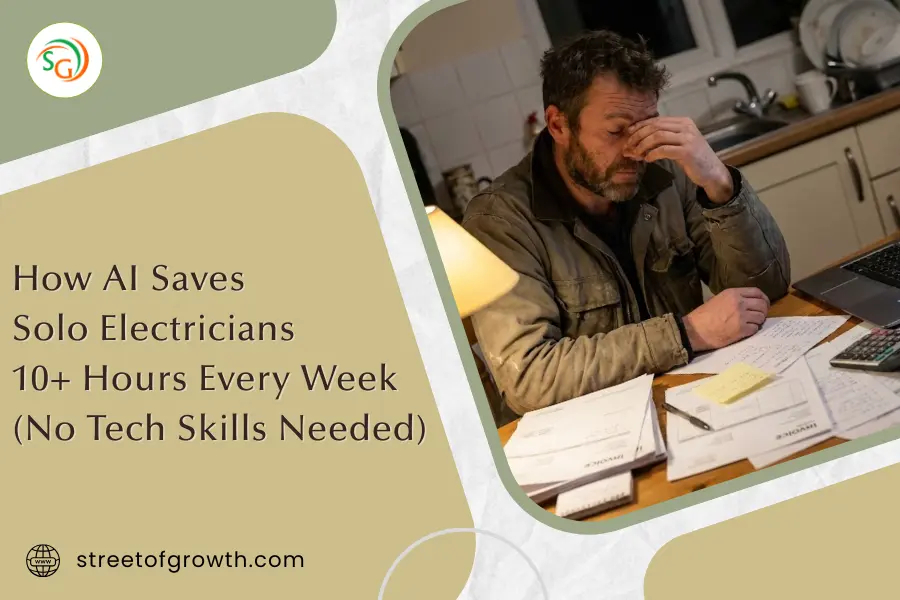
How AI Helps Electricians Save Time: 10+ Hours Back Every Week
It’s 9 PM. You just finished a long day of jobs. Your body aches. All you want is dinner and some rest.
But wait. There’s a stack of quotes you haven’t sent. Three invoices are overdue. And tomorrow’s schedule? You’re not even sure who’s coming when.
Sound familiar?
If you’re a solo electrician, you know this drill too well. The work itself? You’re great at that. But the paperwork, scheduling, and chasing payments? That stuff eats up your nights and weekends.
Here’s the good news: AI tools can now handle most of this for you.
No, you don’t need to be a computer expert. These tools are simple. And many are free or very affordable. In this guide, I’ll show you exactly how AI can give you back 10+ hours every week—time you can spend on more jobs, your family, or just getting some rest.
The Hidden Time Thief Every Electrician Knows
Let’s be honest about something.
You didn’t become an electrician to do paperwork. You became one because you’re good with your hands. You like solving problems. You enjoy the work. And with the demand for skilled electricians growing 9% through 2034, there’s plenty of work out there.
But here’s what nobody tells you when you start your own business:
Paperwork takes almost half your week.
Studies show that electrical contractors spend about 40% of their work week on admin tasks. That’s nearly two full days every week just pushing papers around.
Let me break that down:
- Scheduling and calendar management: 5-6 hours per week
- Creating and sending invoices: 3-4 hours per week
- Writing quotes and estimates: 3-4 hours per week
- Answering calls and texts: 2-3 hours per week
- Chasing late payments: 1-2 hours per week
Add it up. That’s 15-20 hours every single week on tasks that don’t directly make you money.
For a solo electrician, this is brutal. You don’t have office staff. There’s no assistant to help. It’s just you. Doing the work during the day and the paperwork at night. Trade groups like the National Electrical Contractors Association have long emphasized the importance of business management for independent contractors.
This is exactly where AI steps in.
What AI Actually Means for Electricians
When people hear “AI,” they think of robots or complicated tech stuff. Let’s clear that up.
AI for electricians is really just smart software that does boring tasks for you.
Think of it like this:
- You tell the app what time slots you’re free
- A customer texts asking to book
- The AI checks your calendar, finds an open slot, and books them in
- It sends them a confirmation
- It reminds them the day before
You didn’t touch your phone. You didn’t play calendar Tetris. It just happened.
That’s AI. Nothing scary. Nothing complicated. Just software that handles the stuff you hate.
3 Ways AI Saves You Hours Every Week
Let’s get specific. Here are the three biggest areas where AI gives solo electricians their time back.

1. AI Scheduling: No More Calendar Chaos
Time saved: 4-6 hours per week
Scheduling is probably your biggest headache. Calls come in while you’re on a ladder. Texts pile up. You forget to call someone back. Jobs overlap.
AI scheduling tools fix this by:
- Letting customers book online – They pick from your available slots. No phone tag.
- Sending automatic reminders – Customers get texts before their appointment. Fewer no-shows.
- Syncing with your phone – See your whole week at a glance, anywhere.
- Handling changes – Customer needs to reschedule? The AI offers them new times.
Some tools can even answer calls for you 24/7. If someone calls at 10 PM about an emergency, the AI can ask what’s wrong, check if it’s urgent, and book them for the next available slot—all while you sleep.
2. AI Quoting: Professional Estimates in Minutes
Time saved: 2-4 hours per week
Writing quotes takes forever. You have to remember what the customer asked for, look up material prices, calculate labor, format everything nicely…
AI quoting tools handle this by:
- Pulling material costs automatically – No more looking up prices one by one.
- Creating professional PDFs – Branded templates that look clean and trustworthy.
- Learning from past jobs – The AI remembers what you charged before for similar work.
- Sending follow-ups – If the customer hasn’t responded in 3 days, it sends a gentle reminder.
Some apps even let you speak your quote out loud. Just say “Panel upgrade, 200 amp, 4 hours labor, plus materials” and it builds the whole quote for you.
3. AI Invoicing: Get Paid Faster Without Chasing
Time saved: 2-4 hours per week
Invoicing is where good electricians lose money. You forget to send the bill. You send it late. Customers “forget” to pay.
AI invoicing tools help by:
- Creating invoices automatically – Finish a job? The invoice is ready to send.
- Sending payment reminders – No awkward “hey, you owe me” texts. The AI does it politely.
- Accepting payments online – Customers can pay with a tap. Money hits your account faster.
- Tracking who owes what – See all unpaid invoices in one place.
One electrician told me he used to spend Sunday nights sending invoices. Now his AI tool sends them automatically when he marks a job complete. His Sundays are his again.
Best AI Tools for Solo Electricians (Free and Affordable)
Not every tool is right for solo operators. Big software like ServiceTitan costs $300+ per month and is built for companies with 10+ trucks.
Here are tools that actually make sense for one-person businesses:
| Tool | Best For | Price | Key Feature |
|---|---|---|---|
| FieldVibe | Scheduling | Free | Simple calendar built for solo trades |
| Koalendar | Online booking | Free | Customers book from a link you share |
| Joist | Quoting | Free basic / $15/mo Pro | Create quotes from your phone in minutes |
| Invoice Ninja | Invoicing | Free | Automatic reminders and online payments |
| Tradify | Full package | $35/mo | Scheduling, quoting, invoicing together |
| Workiz | Full package | Free basic / $45/mo | Full job management with AI features |
My recommendation for beginners: Start with free tools. Try FieldVibe for scheduling and Joist for quotes. Use them for a month. Once you see how much time they save, you might want a full package option like Tradify.
How to Get Started Today (5-Minute Setup)
Don’t try to change everything at once. That’s how people give up.
Instead, follow this simple plan:
Step 1: Pick Your Biggest Time Waster (1 minute)
What eats the most of your time? Scheduling? Quotes? Invoicing? Start there.
Step 2: Download One App (2 minutes)
Go to your phone’s app store. Search for one of the tools above. Download it.
Step 3: Set It Up During Lunch (5-10 minutes)
Most of these apps have simple setup wizards. Add your business name, hours, and you’re ready.
Step 4: Use It for One Week
Force yourself to use the new tool for every job. It might feel slow at first. By day three, it’ll feel normal.
Step 5: Add Another Tool Next Month
Once the first tool is part of your routine, add another. Build up slowly.
That’s it. No big learning curve. No expensive courses. Just one app at a time.

Common Concerns (And Why They’re Not a Big Deal)
I know what you might be thinking. Let me address a few worries:
“I’m not good with technology.”
These apps are built for tradespeople, not tech experts. If you can text and use Facebook, you can use these tools. Most have customer support that will help you get started.
“It seems expensive.”
Many tools are completely free. Even paid options cost $30-50 per month. If they save you 10 hours a week, that’s time you could bill at $50-100 per hour. The math works in your favor.
“My customers are old school.”
You’d be surprised. An online booking link is actually easier for customers than playing phone tag with you. A professional PDF quote makes you look more trustworthy than a handwritten note.
“I don’t want to lose the personal touch.”
AI handles the boring stuff so you have more time for real conversations. Instead of rushing through calls because you’re behind on invoices, you can actually chat with customers and build relationships.
Frequently Asked Questions
Do I need to be good with computers to use AI tools?
Not at all. Most AI tools for electricians are designed to be simple. If you can use a smartphone, you can use these tools. Many work through apps that take just minutes to set up.
How much do AI tools for electricians cost?
Many AI tools offer free plans perfect for solo electricians. Paid options typically run $15-50 per month. Most offer free trials so you can test before buying.
Will AI replace electricians?
No. AI handles paperwork, not wiring. You still do the skilled work. AI just removes the boring admin tasks so you can focus on what you’re good at.
What’s the best AI tool to start with?
Start with scheduling. It’s where most electricians waste time. Free options like FieldVibe or Koalendar let you test the waters without spending money.
How much time can AI actually save me?
Based on industry data, most solo electricians save 10-15 hours per week. That’s time you can use for more jobs, family, or rest.
Take Back Your Evenings
You became an electrician to work with your hands. Not to drown in paperwork every night.
AI tools aren’t about replacing you. They’re about giving you back the hours that admin work steals from your life.
Ten hours a week. That’s a whole extra workday you could spend on billable jobs. Or coaching your kid’s soccer team. Or just relaxing without a pile of quotes hanging over your head.
The tools are ready. Most are free. Setup takes minutes.
The only question is: what will you do with your extra 10 hours?
Pick one tool from the list above. Download it today. Try it for a week.
Future you will be glad you did.