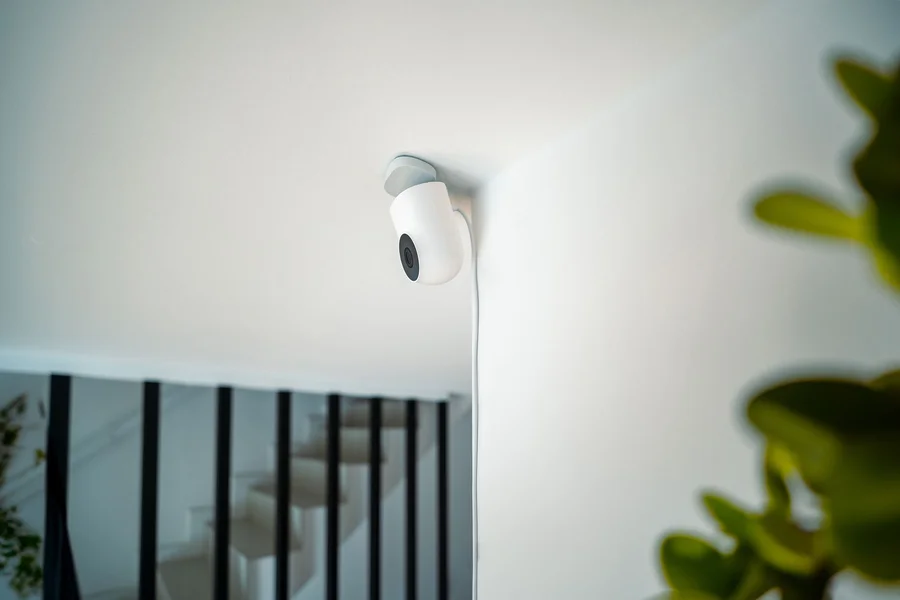
Smart Baby Monitors AI Features Explained for Parents
Smart baby monitors AI features explained in one line: they watch for a covered face, flag a back-to-stomach rollover, count breathing motion without touching your baby, and tell you whether that noise at 2am is a cry or the radiator. The features are genuinely clever. What they are not, according to the American Academy of Pediatrics, is a way to reduce the risk of SIDS.
That distinction shapes everything below: what each AI feature does, how the sensing works, which devices carry actual FDA clearance, and where a monitor’s confident-sounding alert should not change how you put your baby to sleep.
This article was reviewed and updated in September 2026, checked against the FDA’s own device database and its current position on pulse oximeter accuracy.
Smart Baby Monitors AI Features Explained: What Each One Does
They sort raw camera and sensor data into events a parent cares about. Instead of streaming video you have to watch, the monitor tells you something happened and what it thinks that something was.
Four features carry most of the value:
- Cry detection classifies audio to separate a real cry from background noise, so your phone stays quiet when a truck passes.
- Face-covering detection uses computer vision, the branch of AI that interprets images, to flag when a blanket or a toy is over your baby’s face.
- Rollover detection spots a back-to-stomach position change, which matters because safe sleep guidance places infants on their back.
- Breathing motion tracking measures the rise and fall of a baby’s chest, either visually or by radar, without anything attached to the child.
Sleep-pattern summaries sit on top of all of this, charting how long and how well a baby slept across weeks. From what we’ve seen, the sleep charts get opened far more often than any alert, because most nights produce no alerts at all and parents still want to know something.
What Does the AAP Say About Monitors and SIDS?
Do not use them to reduce SIDS risk. That is not a hedge or a paraphrase, it is the recommendation as written.
The American Academy of Pediatrics states plainly: “Don’t use home cardiorespiratory monitors as a way to reduce the risk of SIDS.” The guidance goes on to note that consumer wearable heart rate and pulse oximetry devices do not have to meet the requirements medical devices meet, and that there is no evidence they decrease SIDS risk. You can read the full guidance on the AAP’s parent guide to safe sleep.
The AAP’s more pointed concern is false reassurance. A monitor that has never alarmed can quietly convince a tired parent that the mattress, the blanket, or the sleep position matters less than it does. It does not. The safe sleep basics stay exactly as important with a smart monitor in the room as without one.
The myth worth clearing up: a great many product pages, reviews, and parenting forums treat oxygen or breathing alerts as SIDS protection. No consumer monitor has demonstrated that, and the leading pediatric body says the evidence is absent. Buy one because you want to see your baby, hear a real cry, or catch a covered face. Do not buy one believing it stands between your child and sudden infant death.
How Does the Sensing Really Work?
Smart baby monitors AI features explained at the sensor level come down to three different physical approaches, all of which sound identical in marketing copy. Knowing which one a device uses tells you where it will fail.
Camera-Based Motion Tracking
Nanit reads breathing motion visually from the camera feed, with nothing attached to the baby, using patterned Breathing Wear garments the camera tracks. The tradeoff is line of sight: a blanket bunched over the chest, an odd sleeping angle, or a baby who has scooted into a corner degrades the reading.
Radar Sensing
Miku uses radar to detect breathing without contact and without special clothing, which means position and clothing matter less than with a camera-only approach. Radar sees through a blanket that would defeat a camera.
Under-Mattress and Contact Sensors
Cubo AI pairs computer vision for covered-face and rollover detection with an optional pad under the mattress that picks up breathing micro-movements. Contact and near-contact sensing tends to be steadier than vision but adds a component to position correctly.
We’ve noticed that the sensing method predicts the complaints better than the brand does. Camera-based systems generate their false alerts around blankets and positioning, radar systems around other movement in the room, and pad-based systems around the pad shifting. None of them are wrong so much as differently limited.
Which Devices Carry Real FDA Clearance?
Very few, and the distinction is legally meaningful rather than marketing trivia. Most smart baby monitors are sold as wellness products, a category that does not require FDA clearance and does not permit medical claims.
Owlet is the notable exception and worth understanding as a case study. Its BabySat received FDA 510(k) clearance on 16 June 2023, as K222597, a prescription pulse oximetry system for infants aged 1 to 18 months, between 6 and 30 pounds, with acute or chronic medical conditions. Its Dream Sock was granted De Novo authorisation on 8 November 2023, as DEN220091, for over-the-counter use. Both sit on Owlet’s product site, and the prescription requirement on BabySat is the tell: it is meant for babies with diagnosed conditions under medical supervision, not for healthy infants as general insurance.
Owlet is no longer alone. Because the Dream Sock went through De Novo, it created a brand new FDA device category, and the next company through the door could use it. Masimo did exactly that. Masimo Stork was cleared on 15 December 2023 as a prescription device, then cleared for over-the-counter sale on 3 May 2024 as K234021, entering the category Owlet’s authorisation had established.
Here is the number worth carrying with you, and you can check it yourself in the FDA’s device clearance database. That over-the-counter infant pulse oximetry category contains exactly two devices: Owlet’s Dream Sock and Masimo’s Stork. That is the whole list as of September 2026.
Run a search on other well-known smart monitor brands and the result is blank. Nanit, for instance, sells breathing-motion tracking and sleep analytics and is one of the most recognised names in the category, but it holds no FDA device clearance, because it makes no medical claim and does not need one. That is not an accusation. It is the difference between a wellness product and a medical device, and it is the single most useful thing a parent can check before buying.
One thing most guides miss is what “FDA cleared” means and does not mean. Clearance says a device performed acceptably for its stated purpose. It does not say the device prevents anything. A cleared pulse oximeter measures oxygen saturation reliably, which is a different claim from reducing infant deaths, and no clearance to date makes the second claim.

Does Skin Tone Change How Well the Sensor Works?
It can, and the FDA is in the middle of doing something about it. This matters here specifically because the monitors with real clearance are pulse oximeters, and pulse oximetry is the technology with a documented accuracy problem across skin pigmentation.
The FDA’s pulse oximeter page states that the agency has been looking at “concerns about whether the accuracy of pulse oximeters is affected by a person’s skin pigmentation,” and refers to “ongoing concerns that pulse oximeters may be less accurate in individuals with darker skin pigmentation.” It published a discussion paper on the problem in November 2023 and, on 7 January 2025, issued draft guidance titled Pulse Oximeters for Medical Purposes, covering how these devices should be tested and labelled, for both prescription and over-the-counter versions.
Two things follow, and both matter more than the marketing.
First, that guidance is still in draft. FDA’s own wording is that it will apply “once finalized.” So the devices on sale now, including both cleared infant monitors, were evaluated under the older testing expectations rather than the stricter ones the agency has proposed.
Second, this cuts against the usual advice to simply trust the number on the screen. A reading that says 96% carries a margin of error, that margin is not necessarily the same for every baby, and the agency responsible for these devices has said so in writing. It is a reason to treat a borderline reading as a prompt to look at your baby rather than as a measurement to act on, which is the same conclusion the rest of this article reaches from a different direction.
Where Do These Features Fall Short?
False alarms, network dependence, and the security of a camera pointed at your child’s bed. Each one has bitten real families.
The same connected-device caution applies to anything on your home network, a point our renter-friendly smart lock installation guide also raises. False positives are the most common frustration and the most consequential. A monitor that alarms three times a week for a shifted sensor trains you to dismiss alarms, which is precisely the wrong habit for a device whose entire value is the rare true alert. If a device is alarming often, fix the setup or return it rather than learning to ignore it.
Network dependence is the quiet one. Most of these features run through the manufacturer’s servers, so a router change, an app update, or a service outage can silently stop the monitoring while the camera still shows a picture. Check that alerts are still arriving rather than assuming silence means all is well.
A common mistake worth avoiding: putting a Wi-Fi camera on your home network with the default password and never touching it again. A baby monitor is an internet-connected camera aimed at your child, and it deserves the strongest password in the house, two-factor authentication if offered, and prompt firmware updates. Families thinking about the wider setup may find our guide to smart home automation on a budget useful for network basics.
After looking at how families really use these, we prefer a plain high-quality camera with reliable cry detection over a feature-packed device with breathing alerts, for healthy full-term infants with no diagnosed condition. The reason is specific: the cry and video features get used nightly and work reliably, while the physiological alerts mostly generate anxiety without evidence of benefit for that population. A baby with a medical condition is a different conversation, and that conversation belongs with your pediatrician.
How Should You Choose and Set One Up?
Decide what problem you are solving before you compare feature lists. Most parents want to see and hear their baby without walking in, and that need is met by far cheaper devices than the ones with physiological sensing.
- Follow safe sleep guidance first, independent of any device. Back sleeping, firm flat surface, empty crib. The monitor changes none of this.
- Ask your pediatrician before buying a physiological monitor. Especially if you are considering one because of a specific worry, which is worth discussing on its own merits.
- Match the sensing method to your nursery. Camera-based tracking wants a clear sightline; radar tolerates blankets; pad sensors want a stable mattress.
- Secure the camera properly on day one. Unique strong password, two-factor if available, automatic firmware updates enabled.
- Test that alerts really reach your phone. Do this after every app update and any change to your home network.
- Set a rule for false alarms. If you get more than one or two a week, change the setup rather than muting notifications.
In practice, this looks like ten minutes of setup and a monthly check that alerts still arrive. Parents coordinating with caregivers may also want our piece on AI apps for babysitter communication, which covers the same privacy questions from the caregiver side.
Frequently Asked Questions
Which baby monitors carry FDA clearance right now?
For over-the-counter sale, two: Owlet’s Dream Sock, granted De Novo authorisation in November 2023, and Masimo’s Stork, cleared in May 2024. Owlet’s BabySat and Masimo’s original Stork are prescription devices. Every other smart monitor on the shelf is sold as a wellness product, which needs no FDA review and cannot make medical claims.
Is the oxygen reading equally accurate for every baby?
Not necessarily. The FDA says there are ongoing concerns that pulse oximeters may be less accurate in people with darker skin pigmentation, and in January 2025 it issued draft guidance to tighten how these devices are tested and labelled. That guidance is not final, so devices on sale today were cleared under the earlier expectations. Treat a borderline number as a reason to check on your baby rather than as a precise measurement.
Do smart baby monitors prevent SIDS?
No. The American Academy of Pediatrics advises against using home cardiorespiratory monitors as a way to reduce SIDS risk and notes there is no evidence consumer devices decrease that risk. Safe sleep practices, back sleeping on a firm flat surface in an empty crib, remain the measures with evidence behind them.
What is the difference between a wellness device and an FDA-cleared one?
A wellness device makes no medical claims and needs no FDA review, which describes most smart baby monitors. An FDA-cleared device has been reviewed for a specific stated medical purpose. Owlet’s BabySat is cleared and prescription-only for infants with diagnosed conditions, which is a narrower use than general reassurance.
How accurate is contactless breathing detection?
It varies by sensing method and conditions. Camera-based tracking needs a clear view and can be degraded by blankets or position, while radar handles both better. Treat any reading as an indicator rather than a clinical measurement, since none of these are diagnostic tools for healthy infants.
Are Wi-Fi baby monitors safe from hacking?
They are as safe as you configure them. Use a unique strong password rather than the default, enable two-factor authentication if the app offers it, and keep firmware updated. A camera aimed at your child’s crib deserves more attention than the average smart plug.
Is cry detection worth paying extra for?
For many families, yes, because it is the feature that gets used every night. Filtering real crying from ambient noise means fewer false wake-ups for parents, and it works reliably in a way physiological sensing does not. It is also the least oversold claim in the category.
Should I get a monitor if my baby was premature or has a medical condition?
Ask your pediatrician rather than deciding from product reviews. Infants with diagnosed conditions are exactly the population prescription devices like BabySat were cleared for, and that decision should come with medical guidance about what to monitor and how to respond.
Will the sleep-tracking data tell me anything useful?
Sometimes, mostly as a record of patterns over weeks rather than a verdict on any single night. Parents find it helpful for spotting a genuine change in routine. Avoid comparing your baby’s chart against averages, since normal infant sleep varies enormously.
Smart Baby Monitors AI Features Explained: The Honest Summary
Smart baby monitors AI features explained honestly come down to this: the video, audio, and cry detection deliver real everyday value, while the physiological alerts are the part where marketing has outrun the evidence. The AAP’s position is unambiguous, and no clearance from the FDA to date claims any of these devices prevent sudden infant death.
Before you buy, write down the one thing you want the monitor to do. If the honest answer is “help me stop worrying,” that is worth a conversation with your pediatrician more than it is worth a purchase, because no device has been shown to earn that particular peace of mind.
This article is general information, not medical advice. Talk to your pediatrician about your baby’s specific situation, especially regarding sleep safety or any monitoring device.