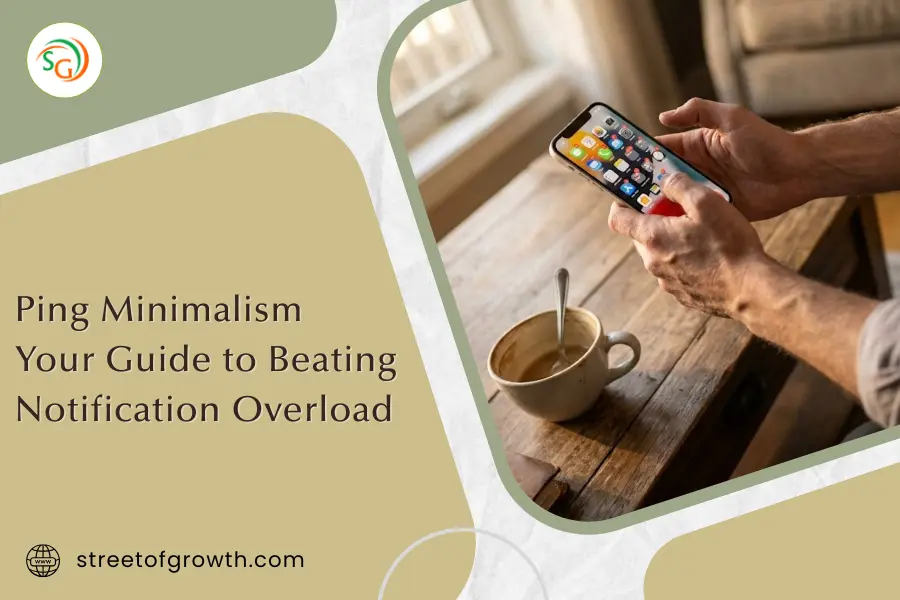
Ping Minimalism: Your 2026 Guide to Beating Notification Overload
How to break free from notification overload, get your focus back, and finally have a calmer relationship with your phone
Your phone just buzzed. Again. Maybe it was an email. Or a text. Or maybe another app desperately trying to grab your attention. Before you even think about it, your hand is already reaching for the screen.
Sound familiar?
You are not alone. The average person now gets between 60 and 80 notifications every single day. Some people get over 200. Each one of these tiny alerts pulls at your attention, breaks your focus, and adds a small dose of stress to your already busy life.
This is exactly why “ping minimalism” has become one of the biggest wellness trends heading into 2026. The term was coined by WGSN, a trend forecasting platform, and the idea is simple: you declutter your digital life the same way you might declutter your home. You are not throwing your phone in a lake. You are just taking back control of your attention.
In this guide, I will walk you through exactly what ping minimalism is, why it matters for your mental health, and how to put it into practice starting today. We will cover a full 30-day plan, the best tools and apps to help you along the way, and answers to the questions people ask most about this approach.
Ready? Let’s get into it.
What Is Ping Minimalism?
Ping minimalism is a simple but powerful idea. You treat your digital notifications like clutter in your home and deliberately remove the ones that do not serve you.
The word “ping” comes from the sound your devices make when a notification arrives. Every email, text message, social media alert, and app update creates a ping that demands your attention. When you add them all up, these pings create a constant stream of interruptions that can leave you feeling scattered, anxious, and exhausted.
Ping minimalism flips the script. Instead of letting every app interrupt you whenever it wants, you decide exactly who and what gets access to your attention. You keep only the notifications that truly matter and silence everything else.
Think of it like this: you would not let 80 random strangers walk into your home and tap you on the shoulder throughout the day. So why do you let 80 random notifications do the same thing to your mind?
Why Your Brain Desperately Needs This
The science behind notification overload is clear, and honestly, it is a little alarming.
Research from the University of California, Irvine found that it takes an average of 23 minutes to fully regain your focus after a single interruption. That means if you check a notification at 9:00 AM, you might not be back to full focus until 9:23 AM. Now multiply that by the 60 to 80 notifications you get daily.
The numbers get worse from there:
- 72% of people who are heavily dependent on their smartphones report symptoms of anxiety or depression
- Microsoft research shows the average worker gets one notification every two minutes, adding up to 275 interruptions per day
- Studies show that frequent interruptions can double your error rate on tasks
- 54% of teenagers feel overwhelmed by the volume of text alerts they get
- Each additional hour of screen use is linked to a 63% higher risk of insomnia
Perhaps the most concerning finding comes from the American Psychological Association, which found a strong connection between notification frequency and something called “alert fatigue.” This is when your brain becomes so overwhelmed by constant alerts that it starts to feel numb and anxious at the same time.
The bottom line? Your brain was not designed for this level of constant interruption. Ping minimalism gives it the break it needs.
Signs You Need Ping Minimalism
How do you know if notification overload is affecting you? Here are some common signs:
- You check your phone first thing when you wake up, often before you even get out of bed
- You feel a strong urge to respond to messages right away, even when you are busy
- You experience “phantom vibrations” where you think your phone buzzed but it did not
- You feel anxious when you cannot check your phone for a while
- You have trouble focusing on one task for more than a few minutes
- You feel exhausted at the end of the day even though you did not do anything physically demanding
- You spend more time on your phone than with the people you love
- Your sleep has gotten worse over time
If you recognize yourself in three or more of these signs, ping minimalism can make a real difference in your life.
The 5 Core Principles of Ping Minimalism
Before we get into the how-to, let me explain the key ideas that make this approach work.
1. Intentionality Over Availability
The old way of thinking said you should be available to everyone at all times. Ping minimalism says you should choose exactly when and how people can reach you. Your attention is valuable. Treat it that way.
2. Permission-Based Interruptions
Most apps are set to notify you by default. Ping minimalism flips this around. Nothing gets to interrupt you unless you specifically give it permission. This puts you in the driver’s seat.
3. Batching Over Reacting
Instead of checking messages all day long, you set specific times to catch up on everything at once. This is called batching, and research shows it dramatically reduces stress while actually improving response quality.
4. Boundaries Are Not Rude
Many people worry that turning off notifications will seem rude or make them miss something important. The truth is that healthy boundaries help you show up better for the people who matter most. You cannot pour from an empty cup.
5. Progress Over Perfection
You do not need to achieve perfect silence right away. Even small changes add up. The goal is steady improvement, not overnight change.
Your Step-by-Step Ping Minimalism Guide
Now let me show you exactly how to put ping minimalism into practice.
Step 1: The Notification Audit
Before you change anything, you need to know what you are dealing with. Take 15 minutes to do a full notification audit:
- Go to your phone settings and find the notifications section
- Scroll through every single app that can send you notifications
- For each app, ask yourself: “Does this notification actually improve my life?”
- Write down which apps send you the most alerts
- Check your screen time report to see which apps eat up most of your day
Most people are shocked by what they find. Apps they forgot they even installed are often buzzing away in the background.
Step 2: Create Your VIP List
Now decide who and what actually deserves to interrupt you. Your VIP list should be short. For most people, it includes:
- Close family members
- Your boss or key work contacts (during work hours only)
- Calendar reminders for important events
- Alarms and timers
Everything else? It can wait until you choose to check it.
Step 3: Turn Off Non-Essential Notifications
This is where the magic happens. Go through your apps and turn off notifications for everything that did not make your VIP list.
On iPhone: Go to Settings, then Notifications, then select each app and toggle off “Allow Notifications.” You can also check Apple’s official guide for more details on managing Screen Time and notifications.
On Android: Go to Settings, then Notifications, then App Notifications, and toggle off the ones you do not need. Google’s support page has a full breakdown of all notification options.
Be aggressive here. You can always turn something back on later if you realize you need it.
Step 4: Set Up Focus Modes
Both iPhone and Android have focus modes that let you customize notifications based on what you are doing. Set up different modes for:
- Work time: Only work-related contacts can reach you
- Personal time: Only family and close friends get through
- Sleep time: Almost nothing gets through except emergency contacts
- Focused work: For when you really need to concentrate, maybe only calls get through
Step 5: Schedule Notification Check-Ins
Instead of checking your phone randomly throughout the day, set specific times to catch up on messages and emails. Three to four times per day works well for most people:
- Morning (after your morning routine is done)
- Midday (around lunch time)
- Afternoon (a couple hours before you finish work)
- Evening (at least an hour before bed)
This might feel uncomfortable at first. Stick with it. After a week, you will wonder why you ever did things any other way.
Step 6: Protect Your Mornings

Research shows that avoiding your phone in the first hour after waking up lowers cortisol levels and reduces anxiety for the rest of the day. Make your mornings phone-free by:
- Keeping your phone outside your bedroom
- Using a regular alarm clock instead of your phone alarm
- Not checking any notifications until after breakfast
- Using the first hour for journaling, exercise, or simply enjoying your coffee
Step 7: Create Physical Boundaries
Ping minimalism is also about creating physical spaces where technology does not follow you. Consider making these areas phone-free:
- Your bedroom
- The dining table
- A reading corner or relaxation spot
- During family activities or date nights
Some families create a “phone parking lot” at home, a charging station where all devices stay during meals and family time.
Best Tools and Apps for Ping Minimalism in 2026
Ironically, some of the best tools for reducing digital distraction are digital themselves. Here are the top options:
For Tracking and Awareness
- Screen Time (comes with iPhone): Shows exactly how you spend your phone time
- Digital Wellbeing (comes with Android): Same thing for Android users
- RescueTime: Tracks your digital habits across all devices and suggests when to take breaks
For Blocking Distractions
- Forest: Grow virtual trees by staying off your phone. If you leave the app, your tree dies.
- Freedom: Blocks distracting websites and apps across all your devices
- One Sec: Adds a pause before you can open distracting apps, giving you time to reconsider
For Mindful Phone Use
- Headspace: A meditation app that helps you build awareness and reduce stress
- Calm: Another solid option for guided meditation and sleep support
- Opal: Uses AI to understand your patterns and help you build better habits
Hardware Options
- Light Phone: A stripped-down device that only allows calls and texts
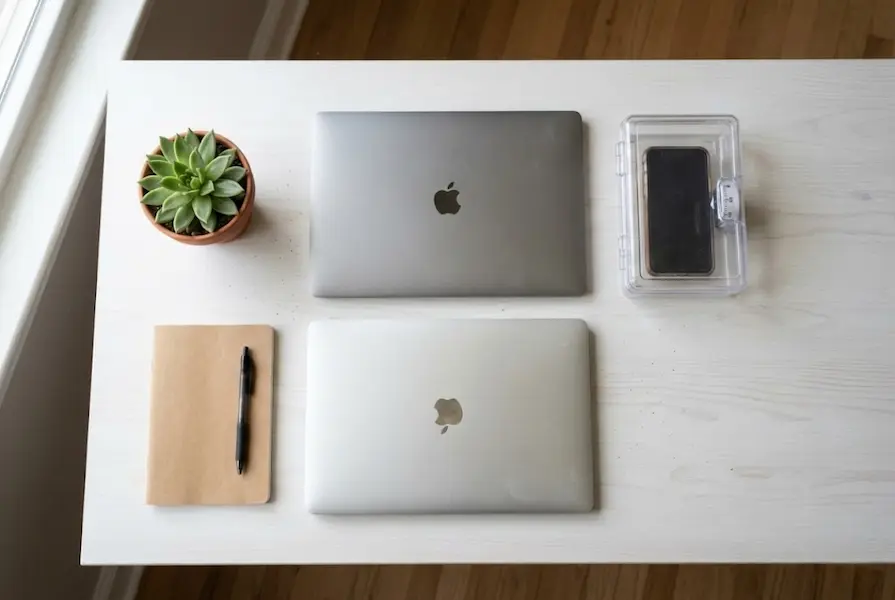
- Kitchen safes with timers: Lock your phone away for set periods
- Analog alarm clocks: Remove the excuse to have your phone in the bedroom
The 30-Day Ping Minimalism Challenge
Ready to change your relationship with technology? Here is a week-by-week plan to get you started:
Week 1: Awareness
- Track your current screen time without changing anything
- Do the notification audit
- Create your VIP list
- Turn off notifications from social media apps
Week 2: Implementation
- Set up focus modes on your phone
- Start phone-free mornings (first 30 minutes)
- Establish three scheduled check-in times
- Remove your phone from your bedroom
Week 3: Going Deeper
- Extend phone-free mornings to one full hour
- Turn off email notifications
- Create one phone-free zone in your home
- Try one screen-free evening
Week 4: Maintenance
- Review what is working and what needs adjustment
- Compare your screen time to Week 1
- Make ping minimalism a permanent part of your routine
- Consider a full digital sabbath (one screen-free day)
Ping Minimalism for Different Lifestyles
For Parents
Modeling healthy tech habits is one of the most important things you can do for your kids. Here is how to make ping minimalism work for families:
- Create family phone-free times, like dinner and the hour before bed
- Set up a family charging station outside bedrooms
- Replace one hour of screen time with a family activity each week
- Let your kids see you putting your phone away when they want your attention
For Remote Workers
When your home is also your office, boundaries become even more important:
- Set clear work hours and stick to them
- Turn off work notifications after hours
- Use different browser profiles for work and personal use
- Take real breaks without any screens
- Tell your team your check-in times so they know when to expect responses
For Students
Studying requires concentration, which constant notifications destroy:
- Use apps like Forest during study sessions
- Keep your phone in a different room while studying
- Set specific times for social media instead of having it always on
- Use website blockers during homework time
Frequently Asked Questions
Will I miss important messages?
This is the number one concern people have, and it is almost never a real problem. If something is truly urgent, people will call. And with your VIP list set up, calls from important people will still get through. For everything else, checking three to four times a day is plenty.
What if my job requires me to be available?
Most jobs do not actually require 24/7 availability, even if it feels that way. Talk to your manager about setting realistic expectations. If you truly need to be on call, set up a work focus mode that allows only work contacts during certain hours. Then turn it off completely outside those hours.
Is this the same as digital detox?
Digital detox usually means taking a complete break from technology for a set period. Ping minimalism is different because it is a sustainable, everyday approach. You are not quitting technology. You are taking control of how it interacts with you.
How long until I see results?
Most people notice a difference within the first week. You may feel calmer, more focused, and less anxious. Some people describe it as a weight being lifted. After 30 days, these changes typically become your new normal.
What if I slip up?
Expect slip-ups. They are part of the process. If you catch yourself falling back into old habits, do not beat yourself up. Just notice it and recommit to your boundaries. Progress, not perfection, is the goal.
Will this make me less connected to friends?
Actually, the opposite tends to happen. When you are not distracted by constant notifications, you become more present in your real relationships. Many people find that their conversations become richer and their relationships stronger.
Take Back Your Attention Today
Here is the truth nobody likes to admit: every notification is someone else deciding that their agenda matters more than yours. Every ping is an interruption you did not ask for.
Ping minimalism is about using technology on your terms. It is about protecting your mental energy so you can use it for things that actually matter to you.
You do not need to make dramatic changes overnight. Start small. Turn off notifications from one app today. See how it feels. Then do another tomorrow.
In a world that constantly demands your attention, choosing what you pay attention to is a powerful act. Your focus is precious. Guard it carefully.
The pings will always be there. The question is whether you will let them control your life, or whether you will finally take control of them.
The choice is yours. And making that choice starts right now.
This article was last updated for 2026 and includes the latest research on notification management and digital wellness.