AI Augmented Reality for Appliance Repair: What Works
AI augmented reality for appliance repair puts a second pair of eyes inside your dryer, fridge, or dishwasher without anyone else standing in the room. A camera reads the machine, software names the part, and an expert draws an arrow on your screen pointing at the exact screw to turn. The whole thing runs on a phone most people already own.
Below you will find how a session works, which platforms repair companies run, what homeowners can do on their own, and the moments when the arrow on screen leads you wrong.
What Is AI Augmented Reality for Appliance Repair?
AI augmented reality for appliance repair combines a live camera feed with software that recognizes what it sees and draws instructions directly onto the image. The AI part identifies the model, the part, and the likely fault. The augmented reality part pins arrows, circles, and labels to physical spots so they stay in place as the camera moves.
Two terms carry most of the weight here. Augmented reality means digital marks layered onto a live view of the real object, anchored so they stick to the thing rather than floating on the glass. Computer vision is the branch of AI that reads images, and it is what turns a blurry photo of a serial plate into a model number and a parts list. Augmented reality handles the showing. Computer vision handles the knowing.
The reason this matters is arithmetic about people. The U.S. Bureau of Labor Statistics counted roughly 37,300 home appliance repairers nationwide in its May 2024 wage survey, a small workforce serving well over a hundred million households. There are not enough experienced hands to send one to every job, so the trade is trying to move expertise down a video link instead of down a highway.
How Does an AR Repair Session Work?
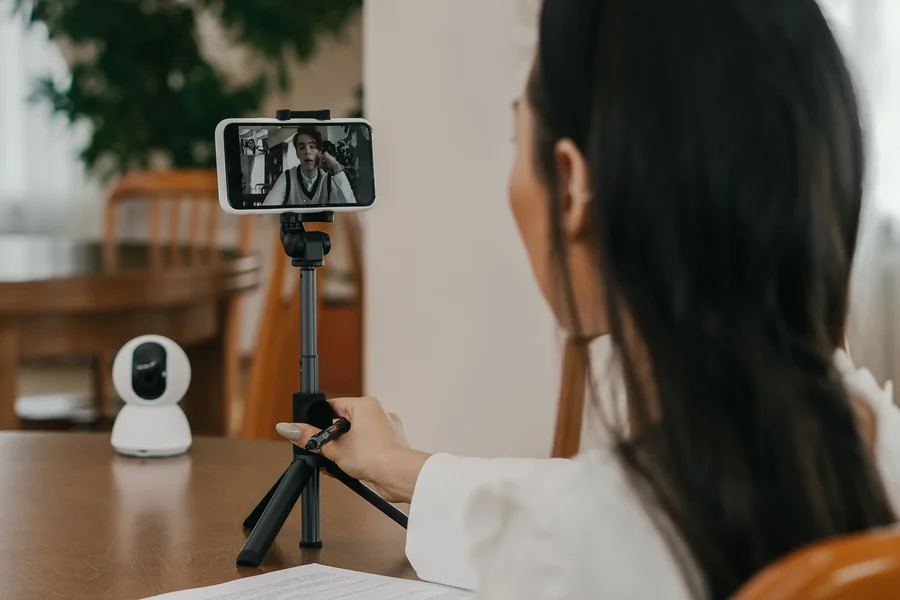
Someone points a phone at the machine, and a remote expert draws on that live picture while talking you through it. The marks stay stuck to the part, so when the camera shifts, the arrow stays on the same screw rather than sliding across the screen.
A typical session runs in four beats. The camera captures the model or serial plate and software pulls the matching manual and parts list. The person on site shows the symptom, a puddle, a burning smell, a drum that will not spin. The remote expert circles the component to test. Then both sides watch the same view while the test happens, which removes the usual back and forth of describing what you are looking at. Platforms like PTC’s remote assistance service and TeamViewer’s Frontline suite are two of the systems built around exactly this loop.
From what we’ve seen, the annotation that helps most is a plain arrow pinned to one screw head, not a floating 3D model of the whole appliance. The fancy overlays photograph well in marketing videos and get switched off within a week on real calls.
The myth worth clearing up: plenty of people still think this needs a headset. It does not, and the headset era is closing rather than opening. Microsoft stopped HoloLens production in late 2024 and has since confirmed that Dynamics 365 Guides and Dynamics 365 Remote Assist reach end of support on December 31, 2026, a date published in Microsoft’s own lifecycle announcement. The company now points customers toward spatial annotation inside Teams on a phone. The industry did not abandon augmented reality. It abandoned wearing it on your face.
Which Tools Do Repair Companies Use?
They fall into two camps: live-video platforms where a human expert draws on your feed, and camera-first apps where software identifies the equipment from a single photo. Most shops end up running one of each, because the two solve different problems.
Live Remote Assist Platforms
These connect a technician in the field to a senior expert at the office. PTC and TeamViewer both sell versions aimed at service teams, with annotation that anchors to the object, session recording, and a shared pointer. The value shows up on the second truck roll that never happens: a junior tech who would have packed up and rebooked instead finishes the job on the first visit.
Camera-First Identification Tools
XOi, a field service platform founded in 2013 and used across HVAC, plumbing, and appliance work, calls its approach a digital smart-wrench. A technician photographs the equipment, and the app returns the model, service history, and manual without anyone typing a serial number. XOi describes how this plays out on service calls across its pages for HVAC and mechanical trades.
We’ve noticed that shops adopt the camera-first apps far faster than the live-video ones, and the reason is scheduling rather than quality. A photo lookup takes four seconds and needs nobody else. A video call needs an expert who is free at that exact moment, and senior people are the scarcest thing in the shop.
What Happened to the Headsets
Smart glasses still exist for warehouse and factory work, where a worker walks a fixed route with both hands busy all day. Appliance repair rarely looks like that. The technician kneels behind a machine for six minutes, needs one hand free anyway, and puts the phone down between steps. That mismatch, plus the end of HoloLens, is why the phone won this particular trade.
Can Homeowners Use This Without Calling a Pro?
Partly. Manufacturer support lines and third-party warranty desks increasingly run video sessions with annotation, and they will walk you through filter swaps, reset sequences, and drain cleaning. Anything involving sealed refrigerant, gas lines, or opening a control board stays off limits, and a good remote agent will say so.
The useful split is between checks and repairs. A remote expert can help you confirm whether a dryer’s thermal fuse has blown, whether a dishwasher drain hose is kinked, or whether a fridge fan is spinning. Those are look-and-report tasks that a camera handles well. Replacing the fuse is still a parts order and a screwdriver.
One thing most guides miss is that your own phone light usually decides whether the call works at all. Serial plates sit in dark recesses behind kick plates and door seals, and a remote expert who cannot read the model plate is guessing from that point forward. Clean the plate, light it directly, and hold still for three seconds before anyone starts talking.
If your machine already reports its own health, you may not need the call at all. Our breakdown of predictive maintenance AI for smart appliances covers the alerts that catch these faults weeks earlier.
Where AR Repair Guidance Breaks Down
It fails on signal, on space, and on anything the camera cannot see. None of those three show up in the demo videos, and all three show up in a laundry room.
Signal comes first. These sessions stream video both ways, and laundry rooms, basements, and the gap behind a fridge are the worst Wi-Fi spots in most homes. A call that drops mid-test wastes more time than it saved. Check the bars where the machine sits, not where you are standing when you dial.
Space comes second. Augmented reality anchoring needs the camera to see enough of a surface to lock onto. Wedge a phone eight inches behind a washer and the marks drift, because the software has nothing stable to hold them against. The workaround is to pull the appliance out first, which people resist and then do anyway ten minutes later.
The third gap is the one that matters most. A camera reads surfaces. It cannot smell a hot winding, feel a bearing catch as the drum turns, or hear the difference between a pump straining and a pump running dry. Experienced technicians lean on those senses constantly, and no annotation replaces them.
A common mistake worth avoiding: starting the call before you have the model number. People dial in, spend eleven minutes hunting for a plate behind a kick panel with an expert watching the ceiling, and burn most of a paid session on paperwork. Photograph the plate first, send it ahead, and the call opens with the right manual already on screen.
After sitting through a few of these sessions, we prefer a phone on a cheap gooseneck clamp over any wearable, mostly because the clamp holds one steady angle while both of your hands work. A headset moves whenever your head does, which is constantly when you are reaching behind a machine.
How Do You Get the Most Out of an AR Repair Call?
Prepare the scene before you dial. Five minutes of setup removes most of the questions the expert would otherwise spend the session asking.
- Pull the appliance out and clear the floor. The camera needs room, and so do you.
- Photograph the model and serial plate. Send it before the call if the platform allows it.
- Check Wi-Fi where the machine sits. Move a mesh point or switch to a hotspot if the signal drops behind the unit.
- Set up a light and a phone clamp. A work light and a gooseneck holder cost less than one service call and keep your hands free.
- Write down the symptom in specifics. “No heat, drum turns, cycle completes in normal time” beats “it is broken” by a wide margin.
- Record the session if the tool offers it. You will want the steps again when the same fault returns in two years.
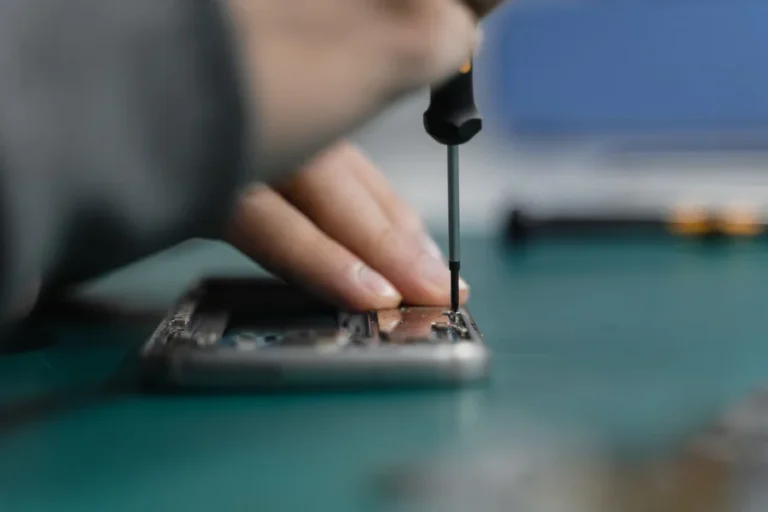
Picture a dryer that tumbles but blows cold. You clamp the phone, pull the machine forward, and share the plate. The expert circles the thermal fuse on your screen, has you test it, and confirms it in under four minutes. In practice, this looks like five minutes of setup and half the questions gone before anyone speaks. Technicians in other trades run the same playbook, as our piece on how AI helps phone repair technicians describes.
Frequently Asked Questions
Do I need special glasses or a headset for this?
No, a normal smartphone handles nearly all appliance AR work today. Microsoft stopped HoloLens production in late 2024 and is retiring its Dynamics 365 Guides and Remote Assist apps at the end of 2026, pointing users to phone-based annotation instead. The trade moved to phones and stayed there.
How much does an AR repair session cost?
It varies by who is on the other end. Manufacturer support during a warranty period is usually free, third-party remote sessions commonly run as a flat fee well below a truck roll, and in-house use by a repair company costs you nothing directly since it is their internal tool. Ask whether the fee applies toward a visit if the call cannot solve it.
What is the difference between AR remote assist and a normal video call?
A normal video call shows the expert what your camera sees. An AR session lets them draw marks that stick to the physical part, so an arrow stays on the correct screw when you move the phone. That anchoring is the entire difference, and it removes most of the “no, the other one” confusion.
Can this fix a problem without any parts or tools?
Sometimes, and those are the best calls. Reset sequences, drain cleanings, filter swaps, kinked hoses, and door switch alignment all get solved with no parts at all. Anything mechanical or electrical past that point still needs a component and a screwdriver.
Will the software identify my appliance from a photo?
Usually, if the plate is clean and lit. Camera-first tools like XOi read the model and serial from a single photo and pull the matching manual and history. A greasy or faded plate defeats it, and you will be typing the number by hand instead.
Is my video recorded and stored?
Often yes, since session recording is a selling point for service companies who want proof of work. Ask before the call how long the footage is kept and who can view it. Point the camera at the appliance rather than around the room if that matters to you.
Does this work on old appliances with no smart features?
Yes, and that is one of its strengths. The intelligence sits in the phone and the software, not in the machine, so a 15-year-old dryer works exactly as well as a new one. All the system needs is a readable model plate and a clear view. Our look at AI diagnostics for refrigerator repair covers the fridge-side faults these calls handle most often.
Putting AI Augmented Reality for Appliance Repair to Use
AI augmented reality for appliance repair earns its place when the diagnosis is the hard part and the fix is simple, which describes a large share of home appliance faults. Skip the headset, use the phone you have, and spend your preparation on light, space, and a clean model plate.
Before your next appliance problem turns into a service call, check whether the manufacturer offers a video support session and what it costs. Making that one call first can turn a two-visit repair into a fifteen-minute conversation.