AI for Mobile Mechanic Dispatching: Smarter Routes, More Jobs
Running a mobile mechanic business means your office is wherever the next customer’s car is parked. You’re juggling phone calls while driving, mentally mapping the fastest route between three jobs across town, and hoping that the parts on your truck match what the next vehicle actually needs. AI for mobile mechanic dispatching takes that mental juggling act and turns it into an automated system that assigns jobs, plans routes, and adjusts your schedule in real time when things change mid-day.
What Is AI for Mobile Mechanic Dispatching?
AI for mobile mechanic dispatching is software that automatically assigns incoming service requests to the right technician based on location, skill set, parts inventory, and current workload. It replaces the manual process of looking at a calendar, checking a map, and guessing which tech should take which job.
Traditional dispatching for mobile mechanics works like this: a customer calls, you check your schedule, estimate drive time in your head, and pencil in an appointment. If you have multiple technicians, you text or call each one to figure out who’s available and closest. This back-and-forth eats up 8 to 10 hours per week in administrative time for most small mobile mechanic operations, according to a 2024 field service industry report by Software Advice.
AI dispatching software handles all of that instantly. When a new service request comes in, the system checks which technician is closest, whether they have the skills for that job type, what parts are on their truck, and how much time remains on their current appointment. It then assigns the job and sends the customer a confirmed time window, all without a single phone call or text.
How Does AI Route Optimization Save Mobile Mechanics Time and Fuel?
AI route optimization calculates the fastest sequence for completing all scheduled jobs by factoring in real-time traffic, job duration estimates, and the physical locations of each appointment. Routing software vendors put the reduction in daily drive time at 20% to 35% against manually planned routes. The saving is real and easy to understand, though the size of it depends heavily on how spread out your jobs already are.
Imagine you have five jobs scheduled across a 30-mile service area. A human dispatcher, or a solo mechanic planning their own day, typically orders jobs by appointment time. But that might mean driving past your third customer’s house on the way to your second, then doubling back later. AI route software reorders the sequence so you drive the shortest possible loop while still respecting each customer’s preferred time window.
Verizon Connect’s 2025 Fleet Technology Trends Report, based on responses from 543 fleet management professionals, put average fuel savings from fleet technology at 16%, up from 8% in 2021. Its 22% figure refers to accident cost savings, not fuel, and the two get mixed up constantly. Its 2026 report gives a range of 11% to 19% across fuel, accident, labour and maintenance costs. Treat the extra jobs per technician per week as a plausible consequence rather than a measured one. For a solo mobile mechanic billing $100 to $150 per hour, those extra jobs add $400 to $1,800 in weekly revenue without extending your working hours.
From what we’ve seen with mobile repair operators, the biggest time savings happen not from the original morning plan but from mid-day adjustments. When a job runs 45 minutes longer than expected or a customer cancels, the AI instantly recalculates the rest of your day. Without that automatic reshuffling, most mechanics either rush through the remaining jobs or end up with a wasted gap between appointments.
Can a Solo Mobile Mechanic Benefit from AI Dispatching?
Yes. Solo mobile mechanics benefit from AI dispatching just as much as multi-technician operations, often more, because a solo operator has zero margin for wasted drive time or scheduling mistakes.
A common myth is that dispatching software only makes sense when you have 3 or more technicians to coordinate. The reality is that a solo mechanic wears every hat: technician, dispatcher, customer service rep, accountant, and parts manager. AI dispatching removes at least two of those hats by handling scheduling and route planning automatically.
The cost barrier is also lower than most solo operators expect. Mobile-first dispatch platforms designed for independent mechanics start at $12 to $50 per month. Compare that to the value of completing even one extra job per week. If your average service call brings in $200, that’s $800 per month in additional revenue against a $50 software cost.
We’ve noticed that solo mechanics who adopt AI dispatching typically reclaim 6 to 8 hours per week that they previously spent on phone calls, text messages, and manual calendar management. That time goes directly back into billable work or personal rest, both of which prevent burnout in a physically demanding job.
What Features Should Mobile Mechanics Look for in AI Dispatch Software?
The most important features are real-time route optimization, automatic job assignment based on skills and proximity, mobile-first interface, and integration with your invoicing or payment system. Everything else is secondary until those four are working well.
Here’s what separates genuinely useful dispatch tools from ones that create more work than they save:
- Real-time rescheduling: When a job runs long or a cancellation comes in, the software should automatically adjust your remaining schedule and notify affected customers without you touching anything.
- Skill-based matching: If you run a team, the system should know that Technician A handles electrical diagnostics while Technician B specializes in brake work, and assign jobs accordingly.
- Parts inventory awareness: The best platforms track what parts and tools are on each truck so the system never assigns a job that requires parts the technician doesn’t currently carry.
- Customer communication: Automated texts that tell customers “your mechanic is 20 minutes away” reduce no-shows and build trust without you typing a single message.
- On-site quoting and invoicing: A mobile mechanic needs to create quotes, take photos of damaged parts, and process payments from a phone at the customer’s location, not back at a desk.
One thing most guides miss is the importance of offline functionality. Mobile mechanics work in parking garages, rural areas, and basements where cell signal drops. If your dispatch app stops working without internet, you lose access to your schedule and customer details exactly when you need them. We prefer platforms that cache your daily schedule and customer data locally so you can keep working even in dead zones.
How Does AI Dispatching Help Mobile Mechanics Handle Emergency Calls?
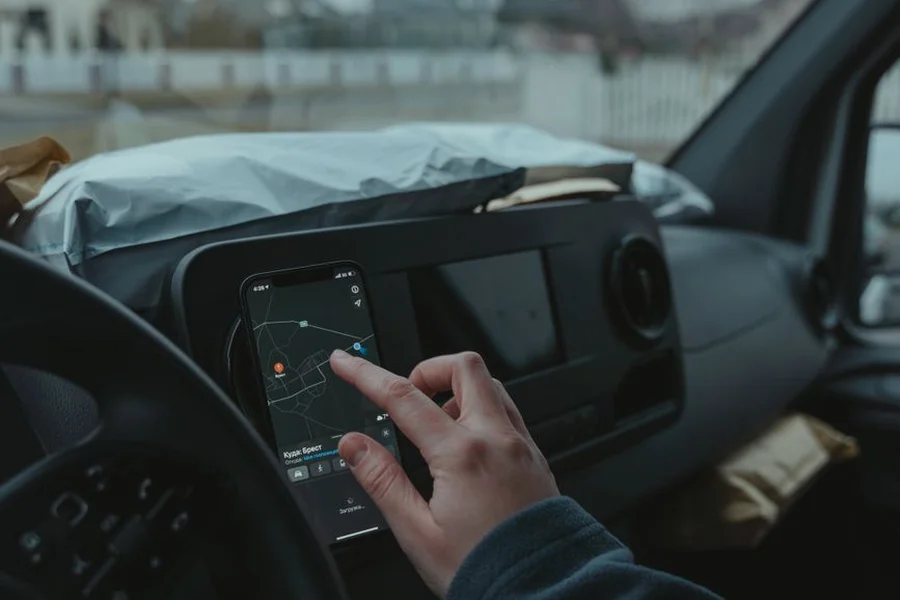
AI dispatching handles emergency calls by instantly identifying which technician can reach the stranded customer fastest without destroying the rest of the day’s schedule. It recalculates all remaining appointments and sends updated arrival times to affected customers automatically.
Emergency roadside calls are the highest-margin work for most mobile mechanics, but they’re also the most disruptive to a planned schedule. Without AI, accepting an emergency call means mentally reorganizing your entire afternoon, calling or texting every remaining customer to push their appointments back, and hoping you don’t forget someone.
AI dispatch software runs this calculation in seconds. It identifies the closest available technician, checks whether they have the skills and parts for the emergency repair, inserts the call into their route, and automatically pushes affected appointments by the estimated delay. Every customer gets an updated arrival window via text. The mechanic just drives to the emergency location and starts working.
AAA reports an average response time of roughly 21 to 23 minutes for roadside assistance, which is a higher bar than most people assume. That number matters for expectation setting, because it means arrival speed alone is not where an independent mobile mechanic wins. Rural areas and storm surges push real waits well past an hour, and that is where routing software earns its keep.
The stronger competitive argument is scope rather than speed. Roadside assistance tows the car or jumps the battery; a mobile mechanic can finish the repair in the driveway. Dispatching software helps by making arrival windows honest, since telling a customer 40 minutes and meaning it beats telling them 20 and showing up in 50.
What Mistakes Do Mobile Mechanics Make When Choosing Dispatch Software?
The biggest mistake is choosing software built for brick-and-mortar shops and trying to adapt it for mobile work. Shop management systems are designed around bays, not routes, and they create friction instead of saving time for mechanics who work at customer locations.
One mistake we see mobile mechanics make is signing up for an enterprise field service platform meant for companies with 50 or more technicians. These platforms charge $200 to $500 per month, require hours of configuration, and include features like warehouse management and multi-location scheduling that a solo or two-person operation will never use. Instead, look for platforms specifically built for independent mobile service providers, which focus on route planning, on-site quoting, and simple job tracking without the enterprise bloat.
Another common pitfall is not cleaning up your customer data before going live. AI dispatch software relies on accurate addresses and service history to make smart assignments. If your customer records have outdated phone numbers, missing apartment numbers, or vague addresses like “near the mall on 5th,” the AI will calculate wrong drive times and create scheduling conflicts from day one. Spend one weekend cleaning your customer database before launching any new dispatch tool.
If you already use AI diagnostic tools for vehicle inspections, make sure your dispatch platform can share data with them. When a diagnostic scan at the customer’s location identifies additional needed repairs, the dispatch system should immediately check parts availability and offer to schedule a follow-up visit, creating a connected workflow from diagnosis to booking.
How Do You Get Started with AI Dispatching as a Mobile Mechanic?
Start by tracking your current daily routine for one week: how many jobs you complete, how much time you spend driving between them, and how many calls or texts you send for scheduling. This baseline shows you exactly where AI dispatching will save you the most time.
- Record your daily mileage, job count, and total hours for 5 working days. Note how many minutes you spend on phone calls, texts, and manual scheduling each day.
- List your top 3 frustrations: wasted drive time, scheduling conflicts, missed calls, emergency disruptions, or invoice delays. Your first dispatch tool should solve your biggest pain point.
- Try 2 to 3 free trials of mobile-first dispatch platforms. Test them on real work days, not just demo data. Pay attention to how the app performs on your phone with spotty cell signal.
- Run the new tool alongside your current process for 2 weeks. Compare your job count, drive time, and admin hours against your baseline week.
- Once you see measurable improvement, commit to one platform and invest time in setting up your full customer database, service menu, and parts inventory.
For mobile mechanics who also want to automate customer communications, pairing a dispatch tool with AI customer service chatbots lets customers book, ask questions, and get updates without you ever picking up the phone. And for broader business automation covering invoicing, reminders, and follow-ups, connecting everything into an AI-powered business workflow frees up even more hours per week.
Heating and cooling firms solved this routing problem earlier, and how HVAC companies use dispatching includes the cost figures. Larger operations add predictive maintenance across the fleet so the vans themselves stop causing delays.
Frequently Asked Questions
How much does AI dispatch software cost for a mobile mechanic?
Mobile-first AI dispatch platforms range from $12 to $200 per month depending on features and team size. Solo operators can find solid options for $12 to $50 per month. Multi-technician operations with advanced routing and inventory tracking typically pay $100 to $200 per month.
What is the difference between AI dispatching and regular scheduling apps?
Regular scheduling apps let you manually place jobs on a calendar. AI dispatching automatically assigns jobs based on technician location, skills, parts availability, and real-time traffic. It also recalculates your entire schedule instantly when changes happen mid-day, which manual calendar apps cannot do.
Can AI dispatch software track parts inventory on a mobile mechanic’s truck?
Yes, many modern platforms let you log the parts and tools loaded on each vehicle. The AI uses this inventory data when assigning jobs so it never sends a technician to a brake job without brake pads on the truck. Some systems also generate restocking alerts when inventory drops below set thresholds.
Is it true that AI dispatching only works for large field service companies?
No. Solo mobile mechanics and two-person teams see significant benefits from AI dispatching. Even completing one additional job per week due to better routing and less scheduling overhead typically pays for the software cost many times over. The time saved on administrative tasks alone is worth the investment for independent operators.
How does AI dispatching handle jobs in areas with poor cell phone signal?
The best dispatch platforms cache your daily schedule, customer details, and route data locally on your phone. You can view job details, navigate to addresses, and log completed work even without internet. The system syncs everything once you regain connection.
Will AI dispatching work if I only do one type of repair?
Yes. Even if you specialize in one service like oil changes or tire replacements, AI dispatching improves your route efficiency and automates customer communication. The skill-matching feature becomes more valuable if you expand your services or add a second technician later.
Let AI Handle the Driving Plan So You Can Focus on the Repair
AI for mobile mechanic dispatching turns your biggest operational headaches, wasted drive time, scheduling chaos, and missed calls, into automated workflows that run in the background while you focus on the actual repair work your customers are paying for. Whether you’re a solo operator running 4 jobs a day or a team of 5 covering an entire metro area, smarter dispatching means more completed jobs, less fuel burned, and fewer evenings spent catching up on admin work. Pick the tool that fits your size, test it on real work days, and let the extra completed jobs prove the value.