AI Troubleshooting for AC Units: Diagnose Problems Without the Guesswork
Your air conditioner starts blowing warm air in the middle of July, and you’re left deciding between a $150 service call that might not fix anything and suffering through 95-degree heat while you wait for an appointment. AI troubleshooting for AC units changes that equation by helping you identify the likely problem before a technician arrives, or in some cases, guiding you through a fix yourself. These tools analyze error codes, sensor data, and symptom descriptions to pinpoint failing components with 85% to 90% accuracy, cutting diagnostic time and eliminating the expensive guesswork that plagues traditional HVAC service calls.
What Is AI Troubleshooting for AC Units?
AI troubleshooting for AC units is software that uses machine learning and diagnostic databases to identify air conditioning problems based on error codes, symptom descriptions, sensor readings, and historical failure patterns specific to your make and model. It works as a diagnostic brain that tells you or your technician what’s wrong before anyone starts taking things apart.
Traditional AC troubleshooting follows a linear process: a technician arrives, checks refrigerant pressure, tests electrical connections, measures airflow, and works through a mental checklist until they find the problem. This process takes 45 minutes to 2 hours and depends heavily on the individual technician’s experience with your specific equipment. A technician who works primarily on residential split systems might struggle with a commercial rooftop unit, and vice versa.
AI diagnostic tools shortcut this process by matching your AC unit’s symptoms against a database of thousands of documented failures for that exact equipment type. When you input “Carrier 24ACC636A003 blowing warm air, outdoor fan running, compressor not starting,” the AI cross-references known failure patterns and returns a probability-ranked diagnosis: “72% likelihood of failed run capacitor, 15% likelihood of contactor failure, 8% likelihood of compressor thermal overload, 5% other.” That level of specificity means the technician knows what to check first and which parts to bring.
How Does AI Diagnose AC Problems Better Than Traditional Methods?
AI diagnoses AC problems better by processing multiple variables simultaneously and comparing them against failure data from thousands of similar units. A human technician works through one test at a time. AI evaluates the complete picture instantly.
Consider a common scenario: an AC unit that cools well for 20 minutes, then stops cooling, then restarts after 30 minutes. A technician might suspect a dirty condenser coil causing the compressor to overheat and shut down on thermal protection. That’s a reasonable first guess. But AI analyzing the same symptoms alongside the unit’s model history might identify that this specific model has a known issue with the high-pressure switch connector corroding after 4 to 6 years in humid climates, causing intermittent shutdowns that mimic thermal overload symptoms. Without that model-specific knowledge, the technician might clean the coils, charge the customer $200, and get a callback two days later when the real problem persists.
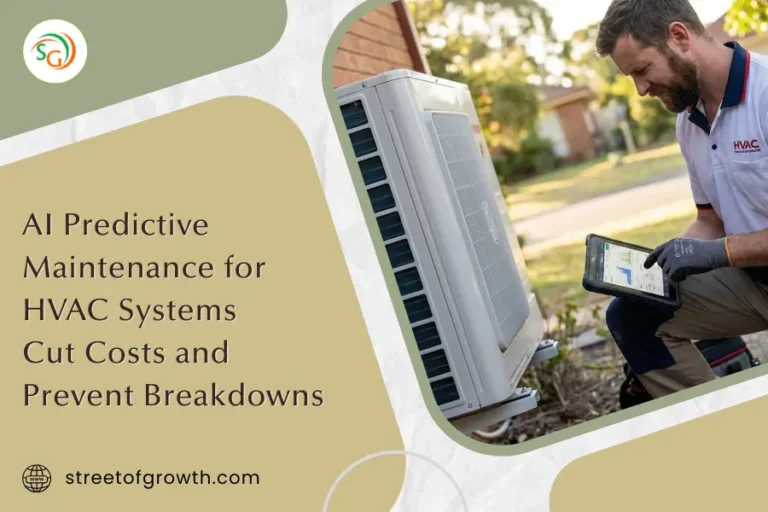
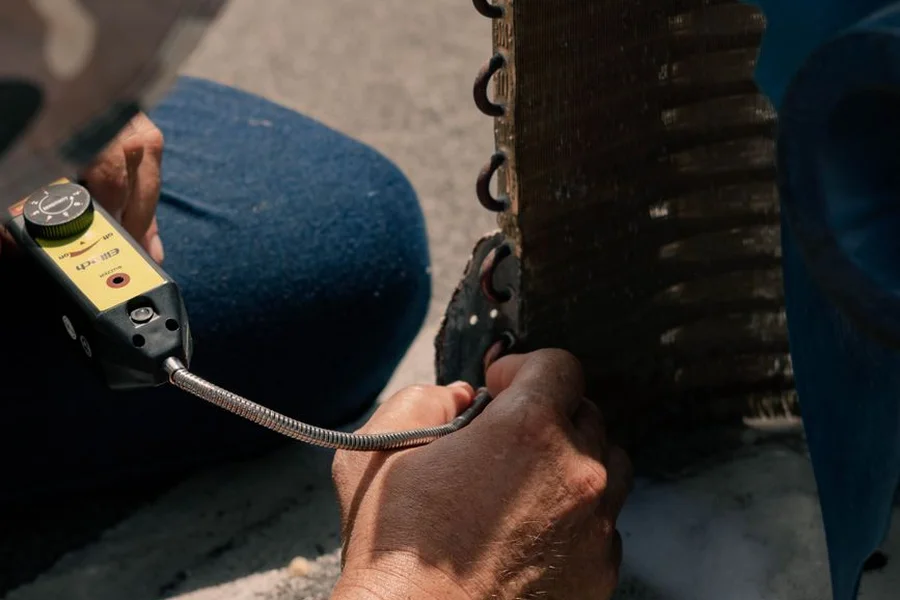
Professional HVAC diagnostic platforms like Bluon, MeasureQuic, and Copeland Mobile give technicians access to this kind of model-specific intelligence in the field. These apps connect to the technician’s measuring instruments via Bluetooth, automatically calculate superheat and subcooling values, and compare readings against manufacturer specifications for that exact unit. The AI flags any readings outside normal range and suggests the most likely root cause.
From what we’ve seen working with HVAC companies using AI diagnostic tools, the biggest improvement shows up in first-call resolution rates. Industry data puts the traditional HVAC first-call fix rate at about 72%. Companies using AI-assisted diagnostics consistently push that number above 88%, which means fewer callbacks, happier customers, and more revenue per truck per day.
Can Homeowners Use AI to Troubleshoot Their Own AC Units?
Yes, homeowners can use AI to troubleshoot many common AC problems, but with important safety limitations. AI can guide you through checking filters, thermostats, breakers, and drain lines safely. It should not guide you through working with refrigerant, high-voltage electrical components, or gas connections.
Here’s what homeowners can safely troubleshoot with AI assistance:
- Error code interpretation: Your thermostat or AC unit displays an error code. AI translates it into plain language and tells you whether it’s a simple reset or a call-the-technician situation.
- Filter and airflow issues: AI walks you through checking and replacing filters, clearing blocked return vents, and ensuring adequate airflow to the indoor unit.
- Thermostat problems: AI helps determine whether the issue is with the thermostat settings, wiring, or the AC unit itself, potentially saving a service call for something as simple as dead batteries or incorrect programming.
- Drain line clogs: A clogged condensate drain is one of the most common AC problems. AI guides you through clearing it with a wet/dry vacuum or vinegar flush.
- Outdoor unit issues: AI can help you identify obvious problems like a tripped disconnect, debris blocking the condenser coil, or a frozen evaporator coil that needs to defrost.
The critical safety boundary is anything involving the sealed refrigerant system, high-voltage electrical work, or gas-fired components. AI diagnostic tools should clearly state when a problem requires a licensed HVAC technician, and responsible platforms do. According to the Environmental Protection Agency, handling refrigerant requires EPA Section 608 certification, and homeowners who attempt refrigerant work risk both legal penalties and serious health hazards.
How Do Smart Thermostats Use AI for AC Troubleshooting?
Smart thermostats use AI to continuously monitor your AC system’s performance patterns, detect when the system is working harder than normal to maintain temperature, and alert you to developing problems before the system fails completely.
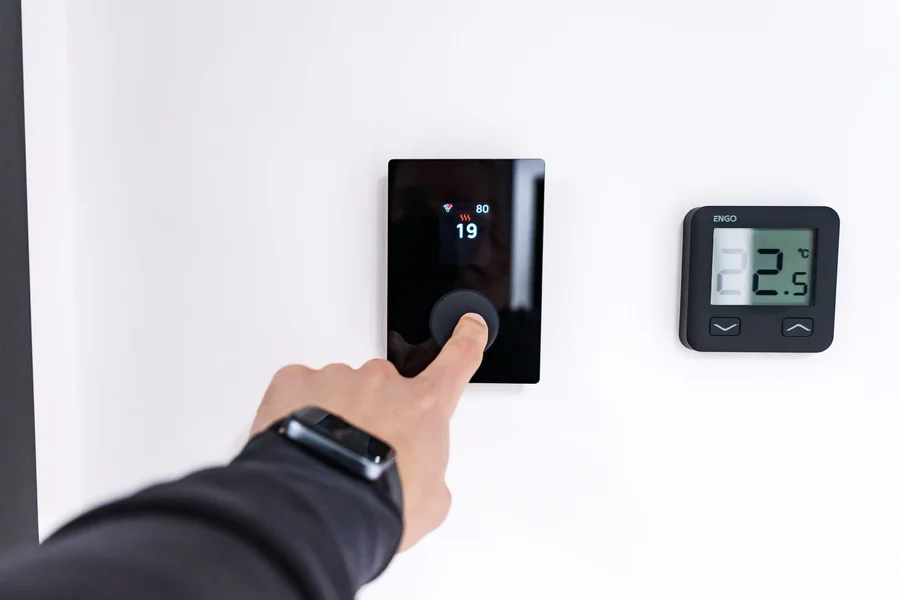
Modern smart thermostats from brands like Ecobee, Nest, and Honeywell don’t just control temperature. They track how long your AC runs per cooling cycle, how quickly your home reaches the set temperature, how the system performs relative to outdoor temperature, and whether runtime patterns change over time. When the AI detects anomalies in these patterns, it generates alerts.
For example, if your AC typically runs for 15-minute cycles to maintain 72 degrees when it’s 90 outside, but suddenly starts running 25-minute cycles under the same conditions, the smart thermostat’s AI flags this as a performance degradation. The alert might say “Your cooling system is running 67% longer than usual to reach your set temperature. This could indicate a dirty filter, low refrigerant, or a failing component. Check your filter first.”
We’ve noticed that homeowners who pay attention to these smart thermostat alerts catch AC problems an average of 2 to 4 weeks before a total failure would occur. That lead time turns a potential emergency repair into a scheduled appointment, which is typically $50 to $100 cheaper because you avoid emergency service fees and can compare quotes from multiple companies. For homeowners looking to connect their HVAC monitoring with broader home systems, the same AI principles used for HVAC predictive maintenance apply to both heating and cooling equipment monitoring.
What Are the Most Common AC Problems That AI Can Identify?
AI troubleshooting tools are most effective at identifying capacitor failures, refrigerant issues, airflow restrictions, electrical component failures, and thermostat malfunctions. These five categories account for approximately 75% to 80% of all residential AC service calls.
- Capacitor failure (most common): Run and start capacitors are the single most frequently replaced AC component. AI identifies capacitor problems through symptoms like the outdoor fan struggling to start, a humming compressor that won’t engage, or an AC that starts then shuts off within seconds. The capacitor typically costs $10 to $30 for the part, though service calls average $150 to $300 including labor.
- Refrigerant issues: Low refrigerant from a slow leak causes gradual cooling loss. AI detects this pattern by analyzing the relationship between runtime, set temperature, and outdoor temperature. When the system runs increasingly longer cycles without achieving the set temperature, especially on mild days, the AI flags probable refrigerant loss.
- Airflow restrictions: Dirty filters, blocked vents, collapsed ductwork, and frozen evaporator coils all restrict airflow. AI systematically guides troubleshooting from the simplest cause (filter) to the most complex (ductwork issues).
- Contactor and relay failures: These electrical components control power delivery to the compressor and fan motors. AI identifies contactor failure through symptoms like the outdoor unit not responding when the thermostat calls for cooling while the indoor blower runs normally.
- Thermostat and control problems: Wiring issues, dead batteries, programming errors, and WiFi connectivity problems account for a surprising number of “AC not working” calls. AI eliminates these simple causes before diagnosing more complex equipment failures.
One thing most guides miss is that AI diagnostic accuracy varies significantly between residential window units, split systems, and commercial rooftop units. A tool trained primarily on residential data may give inaccurate results for commercial equipment and vice versa. Always use a diagnostic platform designed for your specific equipment type.
How Much Can AI Troubleshooting Save on AC Repairs?
AI troubleshooting can save homeowners $75 to $250 per repair by eliminating unnecessary service calls for simple problems and reducing callback rates for issues that require a professional technician.
About 15% to 20% of AC service calls turn out to be problems the homeowner could have solved themselves: tripped breakers, dirty filters, thermostat issues, or clogged drain lines. At $150 to $200 per service call, AI that identifies these simple fixes saves the full cost of an unnecessary visit.
For problems that do need a technician, AI pre-diagnosis saves money in two ways. First, it reduces diagnostic time at the job site. When the technician arrives already knowing the likely problem and carrying the right parts, the visit takes 30 to 45 minutes instead of 60 to 90 minutes. At typical HVAC labor rates of $75 to $125 per hour, that’s a meaningful reduction. Second, suppliers of triage software report callback rates falling from roughly a quarter of visits to under one in ten. That is a vendor figure rather than an independently measured one, but the mechanism is clear enough: arriving with the right part avoids a second trip.
A common myth is that AI troubleshooting makes HVAC technicians obsolete. The opposite is true. AI makes technicians more effective by handling the diagnostic work that wastes their time and lets them focus on skilled repair work that actually requires human hands and expertise. HVAC companies using AI triage report that their technicians complete 1 to 2 additional jobs per day because they spend less time diagnosing and more time repairing.
For HVAC businesses looking to integrate AI diagnostics with customer intake, connecting troubleshooting tools with AI-powered customer service chatbots automates the entire process from the customer’s first “my AC isn’t cooling” message to the technician’s parts list. And for appliance repair companies expanding into HVAC service, the same diagnostic approach that works for refrigerator diagnostics applies directly to air conditioning equipment.
Heating faults follow a different logic, and furnace diagnostics with costs covers the winter half of the system. Once it runs properly, cutting HVAC energy costs is where the savings show up.
Frequently Asked Questions
Can AI tell me if my AC just needs a recharge?
AI can identify symptoms consistent with low refrigerant, such as warm air from vents, ice on the refrigerant lines, or unusually long run cycles. However, “recharging” an AC system without finding and fixing the leak is a temporary solution. AI should recommend leak detection and repair alongside any refrigerant service, and a licensed technician must perform the actual work.
What is the difference between AI troubleshooting and a smart thermostat diagnostic?
A smart thermostat monitors runtime patterns and detects performance changes over time, acting as an early warning system. AI troubleshooting is a deeper analysis that takes specific symptoms, error codes, and model data to diagnose exact component failures. Think of the smart thermostat as a health tracker and AI troubleshooting as a doctor’s visit.
Are AI AC diagnostic apps accurate for older units without smart features?
Yes. AI diagnostic accuracy for older units depends on having the correct model number and accurate symptom descriptions rather than connected sensors. The diagnostic database contains failure patterns for equipment going back 15 to 20 years, so older units are well-represented in the data. Accuracy is typically 80% to 85% for non-connected units compared to 88% to 92% for smart-connected systems.
Is it safe to use AI guidance to replace an AC capacitor myself?
Capacitors store electrical charge and can deliver a dangerous shock even when the power is disconnected. While AI can correctly identify a failed capacitor as the problem, the actual replacement involves discharging the capacitor safely and working near high-voltage connections. Unless you have specific electrical training and a proper discharge tool, this repair should be left to a licensed technician.
How do HVAC companies use AI troubleshooting differently from homeowners?
HVAC companies use professional-grade AI platforms that connect to diagnostic instruments via Bluetooth, automatically calculate refrigerant charge levels, compare readings against manufacturer specifications, and generate documented reports. Homeowner tools provide symptom-based guidance and error code interpretation without instrument integration.
Can AI predict when my AC unit will fail before it happens?
Smart thermostats and IoT-connected HVAC systems with continuous monitoring can detect performance degradation trends that indicate developing problems, typically 2 to 6 weeks before a complete failure. Systems without continuous monitoring cannot predict failures but can diagnose problems faster once symptoms appear.
Stop Guessing and Start Diagnosing
AI troubleshooting for AC units replaces the frustrating cycle of expensive guesswork, misdiagnosed problems, and repeat service calls with data-driven diagnosis that identifies the right problem the first time. Whether you use a smart thermostat to catch performance changes early, an AI chatbot to interpret an error code before calling for service, or a professional platform that puts model-specific intelligence in your technician’s hands, the result is faster fixes, lower costs, and an AC system that gets back to cooling your home without unnecessary delays.