AI Apps for Babysitter Communication: A Parent’s Guide
AI apps for babysitter communication turn a caregiver’s scattered notes into a clean daily summary a parent can read in thirty seconds. Naps, meals, moods, and the one thing that went sideways at 4pm all land in your phone without the sitter typing a paragraph or you asking three follow-up questions at pickup.
Below you will find what these apps do, which ones fit occasional sitters versus full-time nannies, the privacy rules that changed in 2026, and the recording feature that can get a family in legal trouble.
What Are AI Apps for Babysitter Communication?
AI apps for babysitter communication are childcare logging apps that use AI to convert a caregiver’s quick taps and short notes into readable summaries, pattern charts, and daily recaps for parents. The sitter logs a nap with one button. The app writes the sentence.
Two features do most of the work. Automatic daily recaps take the day’s individual entries and generate a single narrative summary rather than leaving parents to read a list of timestamps. Pattern visualization charts sleep, feeding, and activity over weeks, which surfaces trends that no single day would reveal. The logging itself is ordinary app work. The AI part is the summarizing and the pattern-finding.
The distinction that matters when choosing one: most of these tools were built for daycare centers first and adapted for in-home care afterward. That heritage shows up in features you will never use, like classroom rosters and staff ratios, sitting next to the ones you genuinely need.
Which Apps Fit Your Situation?
It depends almost entirely on how often the person works for you. An occasional Friday-night sitter and a five-day-a-week nanny need genuinely different tools, and using the heavy option for the light job is the most common setup mistake.
For Regular Nannies and Recurring Sitters
- Nanny Daily combines one-tap clock-in, hour tracking across multiple families, and invoicing alongside the activity log, which suits a professional caregiver working for more than one household.
- Daily Connect offers a nanny and babysitter configuration of its childcare platform, with messaging included that runs throughout the day rather than only at handoff.
- Brightwheel came from the preschool world and many families repurpose it as a nanny log for activity tracking, photos, and real-time updates.
Families already running connected devices may want to check our renter-friendly smart lock installation guide, since caregiver access is the other half of this setup.
For Occasional Evening Sitters
Honestly, a shared note and a text thread. Installing an account-based app for someone who watches your kids six times a year creates friction on both sides, and the sitter has no reason to learn your system. Save the structured tools for people with recurring hours.
From what we’ve seen, adoption fails at the sitter’s end far more often than the parent’s. Parents choose these apps and sitters have to live in them, so a tool the caregiver finds tedious gets abandoned in week three no matter how much the family likes the charts.

What Changed About Children’s Privacy in 2026?
The rules governing apps that collect data about children got substantially stricter, and full compliance became mandatory this year. If you are choosing an app now, this is the most useful thing to understand.
The Federal Trade Commission published final amendments to the Children’s Online Privacy Protection Rule, known as COPPA, on April 22, 2025, with the amended rule taking effect June 23, 2025. Most compliance obligations carried a deadline of April 22, 2026, which has now passed. The full text sits in the Federal Register notice for the amended COPPA Rule.
Three changes matter for anyone picking a childcare app. The definition of protected personal information expanded to include biometric identifiers, which covers face and voice data. Operators now need separate verifiable parental consent before disclosing a child’s information for purposes not integral to the service, meaning an app cannot quietly fold your child’s data into an advertising pipeline. And operators must maintain a written data retention policy rather than keeping records indefinitely by default. The FTC keeps plain-language guidance on its children’s privacy business guidance page.
One thing most guides miss is that photo and video sharing is the feature most affected. A daily recap with three photos of your toddler is exactly the kind of data the amended rule tightened rules around, and how long the app keeps those images is now something it must have a written answer for. Ask before you upload a year of them.

Where Does Communication Cross Into Surveillance?
At the moment audio recording enters the picture. This is the single most important legal distinction in this category, and app marketing pages tend not to raise it.
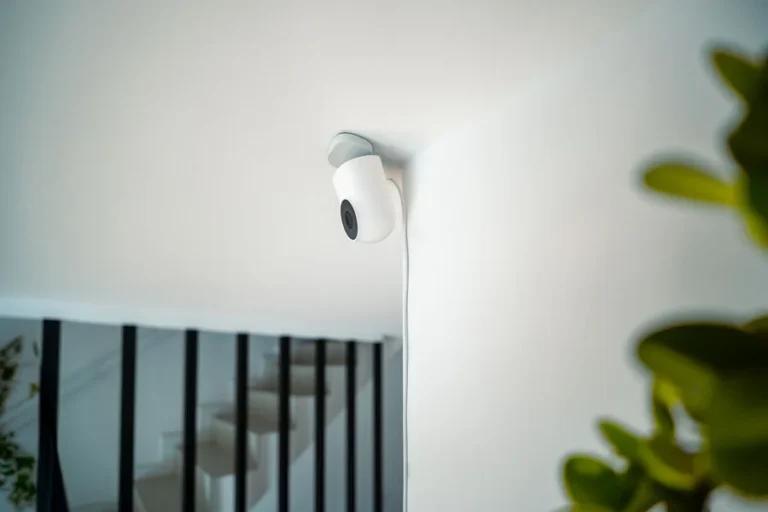
Video recording inside your own home is broadly permitted across U.S. states, with restrictions on private spaces like bathrooms and a live-in caregiver’s own bedroom. Audio is a different body of law entirely. Some states require only one party to a conversation to consent, while others require every party to consent before a recording is legal. Recording a babysitter’s conversations without consent in an all-party state can carry serious penalties, including criminal exposure under state wiretap statutes.
Because the rule varies by state and the penalties are not trivial, look up your own state rather than relying on a general summary. The Reporters Committee for Freedom of the Press maintains a state-by-state guide to recording laws that covers consent requirements for both phone and in-person conversations.
The myth worth clearing up: “it’s my house, so I can record whatever I want” is true for video and false for audio in a substantial number of states. Many parents assume the two travel together because a single camera captures both. They do not, and a camera with the microphone left on is how an otherwise reasonable family ends up on the wrong side of a wiretap law.
A common mistake worth avoiding: installing monitoring quietly and planning to mention it later. Beyond the legal exposure, it poisons the working relationship the moment it surfaces, and it surfaces eventually. Tell the caregiver in writing before they start, get their signature acknowledging it, and turn audio off unless you have confirmed your state permits it and the sitter has consented. A caregiver who knows about a camera behaves no differently if they were trustworthy to begin with.
After looking at how families set these systems up, we prefer keeping the communication app and any home monitoring completely separate. Blending them turns a tool the sitter uses voluntarily into something that feels like a watch list, and the logging quality drops immediately when a caregiver feels surveilled rather than supported.
How Do You Set This Up Without Making It a Chore?
Agree on what gets logged before the first day, and keep that list short. The same restraint applies wherever scheduling software meets a working person, a pattern our piece on AI chatbots for appliance repair scheduling runs into as well. Every field you add is something a person has to fill in while also watching your children.
- Pick three or four things you genuinely need logged. Naps, meals, and medication cover most families. Mood ratings and activity minute-counts usually get abandoned first.
- Let the caregiver help choose the app. If they already use one with another family, adopting theirs costs you nothing and removes the learning curve entirely.
- Read the data retention policy before you upload photos. Under the amended COPPA rule an operator must have a written one, so if you cannot find it, treat that as an answer.
- Set an expectation for response times. Deciding that messages get answered at naptime rather than instantly prevents a caregiver from splitting attention all day.
- Disclose any home cameras in writing before the first shift. Include whether audio is on, and confirm your state’s consent rule first.
- Review the weekly summary together once a month. Patterns are the actual value here, and they only help if someone looks at them.
In practice, this looks like two minutes of logging spread across a day rather than a ten-minute writeup at pickup while a toddler pulls at someone’s leg. Families building out other connected-home systems may also find our guide to smart home automation on a budget useful for the setup side.
Centres run a heavier version of the same tracking, covered in attendance tracking for daycares. Before you hand over a child’s data to any app, knowing your digital privacy rights is worth an hour.
For the hours when nobody else is in the room, what the features on a smart baby monitor mean is the companion piece.
Frequently Asked Questions
Are these apps free?
Most offer a free tier covering basic logging for one child, with paid plans adding multiple children, photo storage, and invoicing. Costs are typically modest, often under $15 a month. Check whether the free tier limits photo history, since that is the feature families miss most when it expires.
Can the AI summary get things wrong?
Yes, and it is worth reading recaps with that in mind. The summary is generated from whatever the caregiver logged, so a mistaken tap becomes a confident-sounding sentence. If something in a recap seems off, ask directly rather than treating the generated text as a record of fact.
What is the difference between a nanny app and a baby tracker app?
A baby tracker is built for parents logging their own child, usually solo. A nanny app assumes two parties with different roles, adding shift tracking, hours, messaging, and separate permissions for caregiver and parent. If nobody is being paid, a tracker is simpler and enough.
Should I make my babysitter use a specific app?
Ask rather than require, especially for someone working occasional hours. Caregivers who work for several families often already have a system, and forcing a switch adds unpaid setup work. For a full-time nanny it is reasonable to agree on one tool as part of the job.
Is it legal to record my babysitter?
Video in shared areas of your own home is broadly legal across states, with exceptions for bathrooms and a live-in caregiver’s bedroom. Audio recording is governed separately by state wiretap laws, and some states require consent from everyone recorded. Check your state’s rule and get written consent before enabling audio.
How much information should a sitter send during the day?
Less than most parents initially want. Constant updates pull a caregiver’s attention away from your children, which is the opposite of what you are paying for. A midday check-in and an end-of-day recap covers a normal day, with immediate contact reserved for anything genuinely urgent.
What happens to my child’s data if I delete the app?
That depends on the operator’s retention policy, which the amended COPPA rule now requires them to put in writing. Deleting the app from your phone does not delete the account or the stored records. Request account deletion through the service directly if you want the data removed.
Choosing AI Apps for Babysitter Communication Wisely
AI apps for babysitter communication work best when they replace a hurried doorway conversation with a summary both sides trust, and they fail when they turn a caregiver’s day into data entry. Keep the logged fields few, let the person doing the logging have a say in the tool, and read the retention policy before the photos start accumulating.
Before your next sitter starts, write down the three things you genuinely need to know at the end of a day. If an app cannot deliver those three in under a minute of the caregiver’s time, it is the wrong app, regardless of what else it does.
This article covers general considerations, not legal advice. Recording and privacy laws vary by state, so consult a qualified attorney about your specific situation before setting up monitoring.