AI for Small Dental Clinic Scheduling: What It Fixes
AI for small dental clinic scheduling fills the front desk gap that a two or three person office can’t cover alone. It answers calls after hours, texts patients before their appointment, and refills a canceled slot from the waitlist before the chair even goes empty. For a practice running on one receptionist, that’s the difference between a full week and a week full of holes.
Below you will find what these systems do, how much a missed appointment really costs a small practice, which tools fit a one or two chair office, and where a scheduling bot needs to stay out of the way of HIPAA rules.
What Is AI for Small Dental Clinic Scheduling?
AI for small dental clinic scheduling is software that handles booking, reminders, and cancellations for a dental practice without a person managing every step. It answers the phone or a text message, checks the real calendar, and confirms or reschedules an appointment on its own.
Two ideas sit behind almost every version of this. A practice management system, often shortened to PMS, is the software a dental office already runs to track patient records, insurance, and the appointment book. Two-way confirmation is a scheduling method where a reminder text expects a reply, “yes” to confirm or “no” to free the slot, rather than a one-way message the patient can ignore. The AI layer sits on top of the PMS and turns a static calendar into something that reacts to a “no” within minutes instead of a day.
The math behind why small practices care is blunt. Dental practice management data puts the average U.S. no-show rate at 15 to 20 percent, and practices above that 15% mark reportedly see 23% lower profitability than practices holding the rate under 8%. This arrives on top of a workforce already stretched thin: when the American Dental Association’s Health Policy Institute asked dentists in late 2024 about their biggest challenge for the year ahead, staffing shortages topped the list, a finding detailed in the ADA’s report on staffing pressures since the pandemic. A single-chair or two-chair office has no spare capacity to absorb a no-show the way a ten-chair group practice can, and it rarely has a spare hire waiting in the wings either.
How Does the Scheduling AI Fill a Canceled Slot?
It works backward from a cancellation. The moment a patient cancels or fails to confirm, the system checks a waitlist of patients who asked for an earlier opening and offers the freed slot automatically, often before the front desk even notices the gap.
The sequence usually runs in three steps. First, a confirmation text goes out 24 to 72 hours ahead and waits for a reply. Second, a “no” or a missed reply triggers an immediate check against the waitlist rather than sitting in a queue for staff to handle manually. Third, the system texts the next eligible waitlist patient and locks in whoever replies first. Reports on these confirmation systems describe reductions in no-show rates of 25 to 45 percent through this exact combination of two-way texting and automatic waitlist filling.
From what we’ve seen, the waitlist-fill step is the one that protects revenue the most, more than the reminder texts themselves. A reminder just tells a patient about an appointment they already forgot. An automatic rebooking fills the chair anyway, even when the original patient never shows.
The myth worth clearing up: a lot of dentists assume “AI scheduling” means a chatbot pretending to be a human on the phone. Most small-practice tools are far more modest: a two-way texting layer bolted onto the existing PMS, sending and reading replies without any of the appointment-booking small talk. The flashy voice-agent version exists, but the boring text-based version is what saves a small office the most money.

What Does a No-Show Cost a Small Practice?
More than the missed cleaning fee. It’s the lost hour of chair time, the hygienist paid to stand idle, and the compounding effect of gaps that never get filled because nobody caught them fast enough.
Run the numbers on a typical single-doctor office. At a 15 to 20 percent no-show rate, industry estimates put the annual cost between $120,000 and $240,000 in lost production for the average practice. Dropping that rate by even 10 percentage points, from 20% down to 10%, is estimated to recover $60,000 to $120,000 a year in production the practice was simply leaving on the table.
Set against that, the AI scheduling tools themselves usually run $300 to $800 a month for a single-location practice, roughly $4,000 to $10,000 a year. Against a recovery of $60,000 or more, that puts the return in the range of 6 to 30 times the cost, which is a rare ratio in dental practice spending. One thing most guides miss is that the payback period is not the first month. Waitlists need a few weeks to build up enough patients for the automatic rebooking to have someone to call.
Picture a two-chair practice with one receptionist who also handles insurance calls. Every day she spends 90 minutes on manual confirmation calls, many of which go to voicemail anyway. Reports on these systems describe front-desk staff saving 1 to 2 hours a day once two-way texting takes over the confirmation work, time that goes back into patient check-in and treatment coordination instead of dialing down a list.
The same math shows up in other appointment-heavy trades, and our piece on AI chatbots that book plumbing appointments covers a nearly identical no-show and rebooking problem.
Which Tools Fit a One or Two Chair Office?
The honest answer is whichever one plugs into the PMS you already run, since ripping out patient records software to add a scheduling layer rarely pencils out for a small practice. Most tools in this space are built specifically to sit on top of what a dentist already has.
- Weave combines phone, text, and payment tools built around dental and other health practices, with two-way texting as one of its core features.
- Dental Intelligence layers scheduling analytics and recall reminders on top of common PMS platforms, aimed at filling gaps and flagging patients due for a follow-up.
- RevenueWell focuses on patient communication, including appointment reminders and two-way confirmation texts, for practices that want the messaging piece without a full platform switch.
We’ve noticed that the smallest practices get the most value from the plainest version of these tools, the confirmation-and-waitlist loop, and see far less benefit from add-on features like AI-written review requests or marketing automation. A one-doctor office rarely has the bandwidth to manage a marketing campaign on top of patient care, no matter how good the software is at generating one. The same fit-to-size lesson applies in other small-business scheduling, as our piece on AI scheduling software for cleaning companies covers.
How Do HIPAA Rules Apply to a Scheduling Chatbot?
They apply the moment the system touches anything more than a bare appointment slot. Patient names tied to a visit, the reason for the visit, insurance details, or date of birth all count as protected health information, commonly shortened to PHI, and any vendor that handles PHI on a dental practice’s behalf must sign a business associate agreement, or BAA, before that data touches their software.
The Department of Health and Human Services defines a business associate agreement as a written contract that spells out what the vendor is allowed to do with patient information and requires them to protect it under the same rules the practice itself follows, a requirement HHS lays out on its covered entities guidance page. Skipping the agreement is a compliance failure regardless of how secure the vendor’s marketing claims the software is.
A common mistake worth avoiding: assuming a generic AI chatbot service is safe to plug into a scheduling workflow because it handles “just calendars.” A scheduling bot that texts “Your appointment with Dr. Smith for a root canal is tomorrow at 2pm” is transmitting PHI in that single sentence, procedure type included. Before connecting any texting or chat tool to your patient list, confirm in writing that the vendor signs a BAA and encrypts data both in transit and at rest.
After looking at how several small practices set these systems up, we prefer starting with appointment-only messaging, confirming a time slot with no procedure or diagnosis mentioned, before adding richer detail into the texts themselves. It keeps the compliance surface smaller while the staff learns how the system behaves.
How Do You Roll This Out Without Disrupting Patients?
Start narrow, watch the exceptions closely for the first month, and expand only after the basic confirmation loop is running clean. A scheduling change that confuses long-time patients creates more front-desk work than it saves.
- Confirm your PMS has a supported integration. Check with your practice management vendor before buying a separate scheduling tool.
- Get the signed BAA before any patient data flows through the new system. Do this before the first test message, not after.
- Start with confirmation texts only. Skip waitlist automation and AI voice features for the first two to four weeks.
- Tell patients what changed. A short note at checkout or on the reminder itself, explaining that a reply of “yes” or “no” now matters, avoids confused calls.
- Turn on waitlist auto-fill once confirmations are running smoothly. This is the step that recovers lost revenue, so don’t skip it once the basics work.
- Review the exception report weekly. Patients who don’t reply at all, wrong numbers, and opted-out contacts need a human follow-up regardless of how good the automation is.
In practice, this looks like a slow first month and a much quieter second month, once the waitlist has enough patients logged to make the auto-fill step worth anything. Front offices juggling other AI-assisted scheduling, like the setup covered in how HVAC companies use AI dispatching, tend to hit the same early adjustment period before the automation pays for itself.
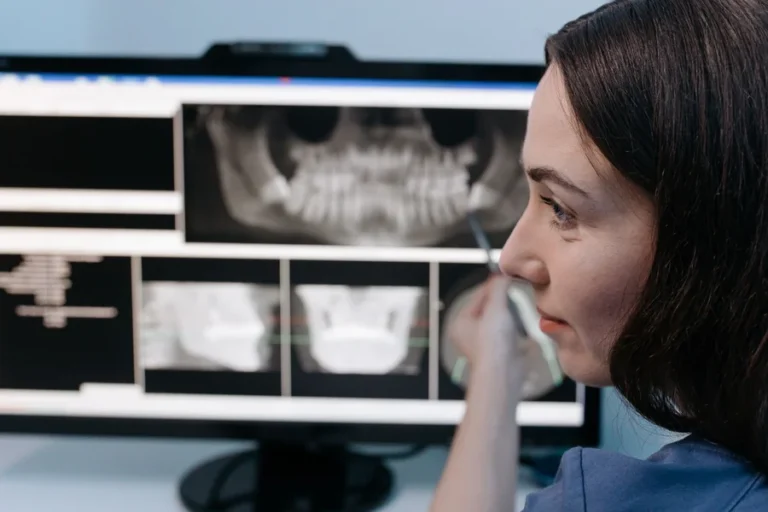
On the clinical side, cavity detection in dental X-rays and transcription of medical notes cover the two tools most practices look at next.
Frequently Asked Questions
Is AI scheduling software worth it for a single-dentist practice?
Yes, based on the numbers most small practices see. Even a modest 5 to 10 percentage point drop in no-shows can recover tens of thousands of dollars a year in lost production, against a software cost usually under $10,000 annually. The return depends heavily on how consistently staff review the exception cases the system flags.
Can the AI diagnose or triage a dental emergency?
No, and this is the most common misunderstanding about these tools. Scheduling AI books, reminds, and reroutes appointments, but it doesn’t assess symptoms or make clinical judgments. A patient describing severe pain or swelling should still be routed to a person, not left inside a self-service booking flow.
What’s the difference between a scheduling chatbot and a simple appointment reminder text?
A basic reminder is one-way. It sends a message and the conversation ends there, whether the patient reads it or not. A scheduling chatbot expects and reads a reply, then acts on it immediately, confirming the slot or releasing it to the waitlist without anyone at the front desk touching a keyboard.
Does this replace the need for a front desk receptionist?
No. It removes the repetitive parts of the job, confirmation calls and manual waitlist calling, so the receptionist can spend that time on patients in the office and on insurance issues the software can’t handle. Practices that try to eliminate the front desk role entirely tend to lose the judgment calls a person makes on unusual situations.
How long before a practice sees results from AI scheduling?
Confirmation and no-show reduction show up within the first few weeks, but the waitlist auto-fill benefit takes longer, since it needs a pool of waiting patients built up before there’s anyone to call when a slot opens. Most practices report meaningful no-show reduction within 60 days of starting.
Is patient text messaging through these tools secure?
It depends entirely on the vendor and the contract, not on the fact that it’s “AI.” Confirm the vendor signs a business associate agreement and encrypts messages, and keep procedure details and diagnoses out of the text content itself as an extra layer of caution.
What happens if a patient never responds to a confirmation text?
Most systems flag a non-response after a set window and either send a follow-up or route the case to a staff member for a phone call. Relying on text alone for every patient isn’t realistic, since some patients don’t text or don’t check messages promptly, so a manual backup step still matters.
Making AI for Small Dental Clinic Scheduling Work for You
AI for small dental clinic scheduling earns its cost fastest at the exact spot where small practices hurt the most, filling the gap left by a no-show before that hour goes to waste. Start with confirmation texting, get the BAA signed first, and add waitlist automation once the basics are running without confusing patients.
If your practice is still confirming appointments by hand, calculate your current no-show rate this week and compare it against the 15 to 20 percent national average. That single number will tell you whether this is worth setting up before your next slow month.