
AI Interior Design Apps for Beginners: What to Know
AI interior design apps for beginners take a photo of your actual room and hand back a redesigned version in about twenty seconds. Upload, pick a style, wait. No floor plans, no design vocabulary, no consultation fee. The catch is that the render is a picture, not a plan, and knowing the difference is what separates a useful tool from an expensive mistake.
Below you will find how these apps work, which free options are worth your time, the measurement problem nobody markets, and the one type of suggestion you should never act on without a professional.
What Do AI Interior Design Apps for Beginners Do?
AI interior design apps for beginners generate a styled image of your room from a photo you upload. The model recognizes the space, then repaints it with different furniture, colors, flooring, and decor according to a style you select.
The workflow is deliberately simple. You photograph a room, choose from a style list that usually runs to thirty or more options, and receive a rendered image within seconds. Most apps let you regenerate as many times as your plan allows, so the normal pattern is producing several directions and comparing them side by side.
Understand what the output is, though. These tools treat your room as a flat image rather than a three-dimensional space with real measurements. The render shows you a mood and a color story. It does not show you whether that sectional fits, whether the door still opens, or whether the radiator you can no longer see has been designed out of existence.
Which Free Apps Should a Beginner Try First?
Start with whichever gives you enough free generations to test your own room properly, since a single free render tells you almost nothing.
Several tools offer meaningful free tiers in 2026. RoomGPT gives new users a small number of free redesigns with a deliberately simple interface, which suits someone who wants to see the concept work before committing. House AI provides a free daily generation covering interiors, exteriors, gardens, walls, and flooring across a wide style list. Remodel AI offers a few full-quality designs with its complete style and tool set unlocked, with no card required. Home AI runs an ad-supported model with a couple of free designs per day.
From what we’ve seen, beginners get the most value from the apps that allow several generations of the same room rather than one render of several rooms. The first output is almost never the useful one. Comparing three versions of your living room teaches you what you genuinely like, which is the real benefit here, more than any individual image.
The myth worth clearing up: these apps do not produce a shopping list. A render showing a beautiful olive velvet sofa is not showing you a purchasable product, and the furniture in the image usually does not exist. Some tools add shoppable links as a separate feature, but the base render is generated imagery. Treating it as a catalog leads to a long, frustrating search for a chair nobody manufactures.
Why Do the Measurements Go Wrong?
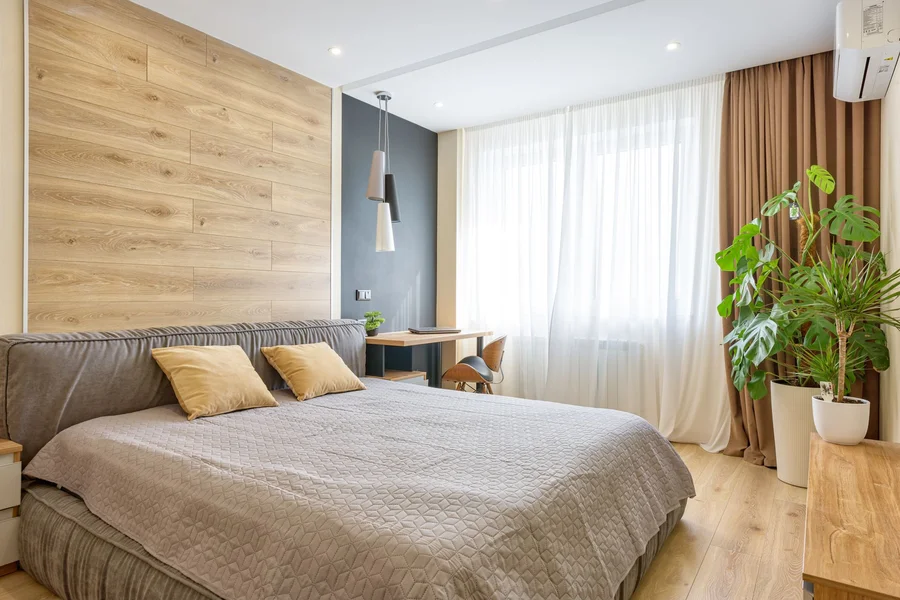
Because the app never had any. It is working from a single photograph with no scale reference, so it estimates proportions from visual cues and frequently gets them wrong.
The errors follow a pattern. Furniture scale drifts, with sofas that would not physically fit or dining tables placed where a door swing would hit them. Ceiling heights change between generations. Rooms with sloped ceilings, odd angles, mirrors, or heavy patterns produce the worst distortion, because those confuse the model’s sense of the space. The image often looks convincing at a glance and falls apart when you check the lines against corners you know.
One thing most guides miss is that scale errors flatter the room in a specific direction. Furniture rendered slightly undersized makes a space look larger than it is, which is exactly the illusion that leads someone to order a sectional that does not fit. Before you buy anything based on a render, measure the room yourself and tape the furniture footprint on the floor.

What Should You Never Act on Without a Professional?
Anything that moves, removes, or opens a wall. This is the single most consequential limitation of these tools, and the renders give no warning at all.
AI design apps have no awareness of how a building holds itself up. They will happily generate an open-plan version of your kitchen by deleting a wall, with no way of knowing whether that wall carries the roof. Removing a load-bearing wall requires a building permit in essentially every jurisdiction, plans typically stamped by a licensed structural engineer, and an engineered beam with posts carrying the load down to the foundation. Model building codes such as the International Residential Code, published by the International Code Council, govern how these modifications must be done, and your local building department enforces its own adopted version.
The same blindness applies to plumbing, electrical, and HVAC. A render that relocates your sink to a beautiful island has not considered the drain line, and one that removes a bulkhead has not considered the ductwork inside it.
If the goal behind the redesign is resale rather than comfort, our piece on smart home features that increase property value covers upgrades that pay back without touching a wall.
A common mistake worth avoiding: showing a contractor an AI render and asking for a quote as though it were a plan. We have watched this go badly in both directions, with homeowners disappointed by a quote that reflects real structural work, and contractors wasting an afternoon explaining why the render is not buildable. Bring the render as a picture of the look you want, and say so explicitly. It is a conversation starter, not a specification.
After looking at how people use these apps well, we prefer treating them as a style-selection tool and nothing more. Use them to work out that you want warm woods and low furniture rather than cool greys and tall pieces, then take that decision to a real plan. That framing costs nothing and eliminates most of the ways these tools mislead people.
Do You Own the Designs the App Generates?
Probably less than you assume, and this matters if you plan to use the images commercially rather than to decorate your own home.
The U.S. Copyright Office has held that copyright protection requires human authorship, and that purely AI-generated output without sufficient human creative contribution is generally not eligible for registration. The Office set this out in its policy guidance and expanded on it in Part 2 of its report on copyright and artificial intelligence, released January 29, 2025, available through the Copyright Office’s artificial intelligence resource page.
For a homeowner redecorating a bedroom, this is irrelevant. For a small design business, a stager, or anyone putting generated renders into marketing materials, it is worth knowing that the image may not be protectable, and worth reading the app’s own terms about commercial use, which vary considerably between free and paid tiers.
How Do You Get a Useful Result on the First Try?
Shoot the room properly and generate more than once. Most disappointing results trace back to a bad input photo rather than a bad model.
- Photograph in daylight with the lights on. Dim rooms produce muddy renders, and the model guesses badly at colors it cannot see.
- Stand in a corner and capture two walls. A flat straight-on shot gives the model no depth cues, which worsens the scale problems.
- Tidy first. Clutter confuses the model and often survives into the render in strange forms.
- Generate three clearly different styles. Comparing contrasting directions teaches you your preference faster than refining one.
- Measure the room and check the render against reality. Note the actual wall lengths and ceiling height, then look for what the image got wrong.
- Separate cosmetic changes from structural ones. Paint, furniture, textiles, and lighting are yours to act on. Walls, plumbing, and electrical need a professional.
In practice, this looks like twenty minutes of experimenting and a clear sense of direction you did not have before. Sellers thinking about listing photos should note that this is a different task with different rules, covered in our piece on virtual staging AI for real estate photos.
Frequently Asked Questions
Are AI interior design apps free?
Many offer a free tier, though usually limited to a few generations per day or a small one-time allowance. Free tiers are genuinely enough to test whether the tool helps you, since the main benefit is comparing style directions rather than producing dozens of images.
Can I buy the furniture shown in the render?
Usually not, because the furniture in a generated image typically does not exist as a real product. Some apps offer shoppable suggestions as a separate feature, but the base render is generated imagery. Use it to identify a style, then search for real pieces that match it.
How accurate are the room dimensions in these apps?
Not accurate at all, since most work from a single photo with no scale reference. Furniture is frequently rendered undersized, which makes rooms look bigger than they are. Always measure the real space and tape out furniture footprints before buying anything.
What is the difference between an AI design app and hiring a designer?
An AI app produces a styled picture in seconds with no knowledge of your budget, measurements, building constraints, or how you live. A designer produces a workable plan accounting for all of those. The app is useful for deciding what you like; the designer is for making it real.
Can these apps tell me if a wall can be removed?
No, and this is the most dangerous gap. They have no awareness of how a building carries load and will render an open-plan layout regardless of whether a wall is load-bearing. Removing one requires a permit and typically engineered plans, so consult a structural engineer before considering it.
Do these apps work for outdoor spaces and exteriors?
Several do, covering exteriors, gardens, and landscaping alongside interiors. The same limitations apply, with the added issue that plant renders rarely account for your climate zone or sun exposure. Our guide to setting up a smart indoor garden for beginners covers the growing side these renders skip.
Should I show an AI render to a contractor?
Yes, as a picture of the look you want, and say clearly that is what it is. Problems arise when a render is presented as a plan, since it may include changes that are structurally impossible or wildly outside the implied budget.
Getting Real Value From AI Interior Design Apps for Beginners
AI interior design apps for beginners are genuinely good at one thing: helping you find out what you like without paying for a consultation. They are unreliable on measurements, blind to how a building carries load, and their furniture does not exist. Every one of those limits is manageable once you know about it.
Photograph your least-favorite room this week and generate three completely different styles. Whichever one you keep returning to tells you more about your taste than an hour of scrolling, and that answer costs nothing and commits you to nothing.
This article is general information, not engineering or legal advice. Consult a licensed structural engineer and your local building department before any work involving walls, plumbing, or electrical systems.